 RestocksAIO Docs
StockX Direct Shipping
Understand StockX Direct Shipping (DFS) and how it works in RestocksAIO.
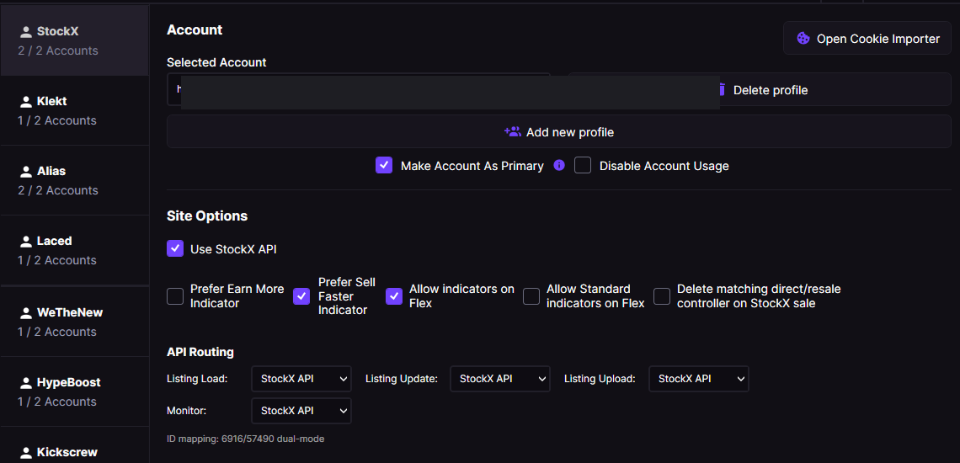
The Enable StockX Buyer-Direct Seller Mode toggle lives on the StockX account's Site Options panel.
What is StockX Direct Shipping?
Direct is RestocksAIO's internal label for the seller-direct fulfilment route offered through StockX's invite-only Verified Seller Program. An approved seller ships an eligible item directly to the buyer instead of sending that order through a StockX Verification Center first.
This means:
- Account-specific economics — Use the payout and charges shown for your approved account. StockX does not publish a universal special fee discount for every Verified Seller.
- Faster delivery — Buyers receive their items sooner because the package does not stop at a StockX verification center.
- Separate market data — The direct marketplace has its own set of bids and asks, which can differ a lot from the standard marketplace.
Who can use Direct Shipping?
StockX Direct is not available to all sellers. To qualify, you typically need:
- High sales volume — StockX offers this program to sellers who consistently sell large quantities of items.
- Low cancellation rate — Your account must keep a very low cancellation rate.
- Good seller metrics — StockX looks at overall seller performance, including shipping speed and accuracy.
If your StockX account is not approved for Buyer-Direct shipping, do not list items as Direct or enable the Direct Seller Mode setting. If you do, the tool uses incorrect market data and listings may fail.
Listing Categories
RestocksAIO supports three listing categories for StockX:
| Category | Description |
|---|---|
| Resale | Standard listing. You ship to StockX, they authenticate and forward to the buyer. |
| Consign | Consignment/Flex. The item is already stored at StockX's warehouse. |
| Direct | You ship directly to the buyer, bypassing authentication. |
The Category column in your Listings View, Inventory, and Bricker Mode tables shows which category each item belongs to.
In Bricker Mode, Direct and Resale are treated as separate StockX selling pools. Even if the SKU and size are the same, they can be in different controllers. They use different market data and different sale handling.
How to list items as Direct
You can set the listing mode when adding items:
- Open the Item Addition Window (Add Item button)
- In the Mode column, select DIRECT from the dropdown
- Use the header dropdown at the top of the Mode column to batch-set all items to Direct at once
- Proceed with Inventory + Listing or Quick List as usual
You can also set the mode in CSV Import: use DIRECT in the Listing Mode column.
To list the same StockX item in both categories, select Resale + Direct in the Mode dropdown, or use RESALE/DIRECT in CSV import. RestocksAIO expands that row into separate Resale and Direct listings when you submit it.
Direct and standard (Resale) items are processed separately during listing creation. The tool automatically batches them with the correct payload for each type.
Running Direct and Resale at the same time
Some sellers keep both Direct and Resale active for the same SKU and size to compare which route sells first.
RestocksAIO supports this setup. Keep these points in mind:
- Direct and Resale do not share the same market data.
- Bricker Mode keeps them separated so pricing decisions stay accurate for each category.
- A sale on one side does not automatically mean the other side should remain active.
For that reason, the tool can now keep the two categories as separate controllers instead of merging them.
Delete the opposite category after a sale
If you run both Direct and Resale for the same item, you may want the tool to clear the opposite category automatically when one side sells.
You can enable this in:
- Settings > Bricker Mode using Delete matching Direct/Resale category on sale
When enabled:
- Selling a Direct listing can remove the matching Resale controller for the same product and size.
- Selling a Resale listing can remove the matching Direct controller for the same product and size.
- Consign/Flex tasks are not affected.
This helps avoid a duplicate listing staying live after one StockX category has already sold the item.
Direct Pricing in Bricker Mode
When Direct Seller Mode is enabled, the Bricker Mode monitor uses StockX's direct market data as the primary source for pricing indicators:
| Indicator | Direct Pricing OFF | Direct Pricing ON |
|---|---|---|
| Lowest Ask | Standard market data | Direct market data (falls back to standard) |
| Highest Bid | Standard market data | Direct market data (falls back to standard) |
| Earn More | Standard market data | Direct market data (falls back to standard) |
| Sell Faster | Standard market data | Direct market data (falls back to standard) |
The tool uses direct market data first. If a direct value is unavailable (zero), the tool automatically uses standard market data, then top-level market data. This gives you the most accurate pricing for your seller type.
Consignment (Flex) items are not affected by the Direct Pricing setting. Custodial inventory always uses top-level market data, whatever the toggle is set to.
How to enable Direct Seller Mode
You can toggle StockX Direct Seller Mode in three places:
- Settings > Accounts > Site Options — Applies to the account profile. Look for "Enable StockX Buyer-Direct Seller Mode".
- Bricker Mode > Edit Task — Toggle per-task when editing a StockX bricker controller.
- Bricker Mode > Mass Edit — Apply the setting across all selected controllers at once.
Why does this matter for pricing?
Direct sellers operate in a separate marketplace pool. The lowest ask and highest bid in the direct market can be very different from the standard market. Without this setting, the tool uses standard market prices to make decisions. Those prices may not reflect the actual competition and payouts in your direct marketplace.
With Direct Seller Mode enabled:
- Your prices are competitive against other direct sellers, not the general pool.
- Payout calculations use the account-specific Direct market data and charges available to the approved seller.
- Bricker Mode makes accurate undercut/match decisions based on the right market data.