 RestocksAIO Docs
Size Chart
View and convert sizes across regions for any product.
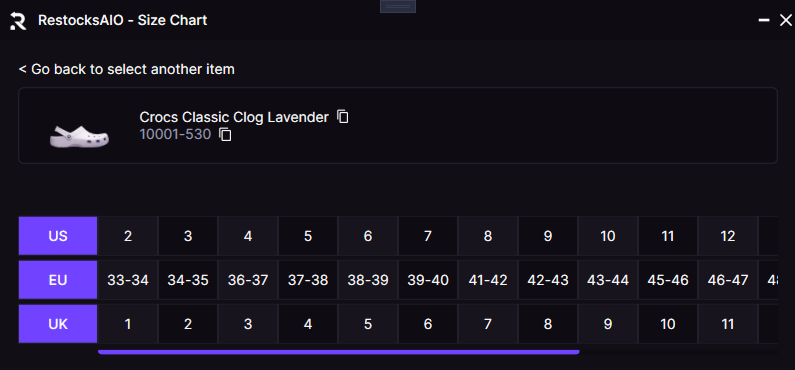
The Size Chart window shows synchronized US, EU, and UK sizing for any selected product.
Where to find the Size Chart Window?
Open the Size Chart Window from the Features tab. You can also open it from context menus in several places:
- Inventory: right-click an item and select Open Size Chart
- Listings: right-click a listing and select Open Size Chart
- Label Dialog: right-click an item and select Open Size Chart
How it works?
Search for an item by name or SKU. After you select an item, the window shows synchronized size rows for US, EU, and UK with a single horizontal scroll. The header shows the product image, name, and code, so you know which item you’re viewing.
Tips
Some brands have unique size scales or descriptors. If a size looks wrong, check that the brand selection matches the one you use when you list or compare.