 RestocksAIO Docs
Become a POIZON Seller
Register as a POIZON seller through the RestocksAIO channel and get your account ready to sync.
Connect POIZON covers linking an account you already have. This page covers the step before that: how to become an approved POIZON seller.
POIZON (得物 / Dewu) is China's largest authenticated sneaker and fashion trading platform. It has more than 200 million registered users across sneakers, streetwear, fashion and premium lifestyle categories. For European sellers, it is a way into a market that is otherwise very hard to reach directly.
RestocksAIO has a dedicated onboarding channel with POIZON. Applications that come through the link on this page go to the POIZON team that handles RestocksAIO sellers, not into the general merchant queue.
POIZON handles onboarding, not RestocksAIO. We can help with the sync and integration side. POIZON decides approval, contracts and settlement terms.
Collaboration terms at a glance
For European business sellers:
| Entry fee | Free — no onboarding or platform fees |
| Payment terms | Weekly, biweekly or monthly — your choice |
| Shipping | Ship within 3 working days of order confirmation. You cover shipping to POIZON's warehouse |
| Quality control | POIZON runs QC at its international warehouse. Once an order passes, it is dispatched and you are settled |
| Returns | After QC approval, POIZON handles all return and exchange communication with the end consumer |
POIZON offers three collaboration models. In Marketplace, you bid competitively by category, with commission-based settlement. In Smart Listing, you supply inventory at your own price point, and POIZON manages listings, authentication and consumer service. Consignment is fully hands-off. You discuss which one fits you during onboarding.
The catalogue goes from sportswear (Nike, Jordan, Adidas, New Balance, Asics, Salomon, On Running, Puma, Arc'teryx) to luxury houses including Gucci, Louis Vuitton, Miu Miu and Polo Ralph Lauren. It also has thousands of other brands. The strongest conversion is in the €80–€400 price range.
Step 1 — Documentation and registration
Prepare these documents as PDF:
- Company registration certificate. Provide documentation for each entity you intend to sell under. If you operate an Italian account and a Spanish account, that is two sets.
- Bank certificate. The official PDF from your bank showing your IBAN.
Then register:
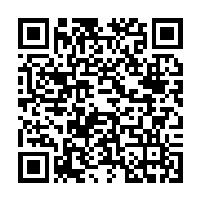
Scan to open the RestocksAIO seller registration page
Scan the QR code, or go straight to the registration page.
Use this link, and do not register from the POIZON homepage. The link carries the RestocksAIO channel attribution, which sends your application to the dedicated onboarding team.
After registering, log in to the seller dashboard and complete three things:
- Confirm your contract under My Agreement.
- Add your warehouse address under Information.
- Upload your bank certificate under Finance.
Applications usually get stuck on these three items, not on the registration form.
Step 2 — Price list and API integration
Once your account exists, POIZON starts the integration with your inventory system.
This is the part RestocksAIO already covers. POIZON's standard onboarding asks you to involve your IT provider and provide a system URL, access credentials and API documentation. You do not need any of that. RestocksAIO already works with POIZON's OpenAPI. Tell your onboarding contact that you sync through RestocksAIO. Then follow Connect POIZON to authorize the connection.
You must still provide the pricing and catalogue data:
- Provide both the discounted price and the retail (original) price for each product.
- The supply price is the settlement amount and must be inclusive of VAT.
- Size group is mandatory for footwear and apparel. Accepted values:
IT,US,FR,UNI,UK.
Size group is the most common cause of rejected or mis-sized listings. Set the correct size region on your inventory in RestocksAIO before you sync, not afterwards. A listing that goes out under the wrong region sells at the wrong size.
Step 3 — Pre-launch operational meeting
When your documents are approved and the connection is live, POIZON schedules a short operational call before you go live. It covers:
- A walkthrough of the seller dashboard.
- The full order and fulfillment workflow.
- Any remaining questions before launch.
Your five tasks as a POIZON merchant
| Task | What it means | |
|---|---|---|
| 01 | Registration | Register as a seller on POIZON |
| 02 | Product sync | Sync your catalogue through RestocksAIO |
| 03 | Ship orders | Dispatch within 3 working days |
| 04 | Settlement | Manage your payout cycle |
| 05 | Update prices | Adjust pricing as needed |
RestocksAIO handles tasks 02 and 05 for you. Listing, inventory sync and repricing run next to your other marketplaces, not in a separate dashboard. See Connect POIZON for what the connection supports.
Downloads
- POIZON platform introduction (PDF) — the full 2026 platform deck.
- Merchant onboarding guide (DOCX) — POIZON's own onboarding document, including direct contact details for the onboarding team.
Next steps
- Register through the link above and complete the three dashboard items.
- Prepare your catalogue in RestocksAIO with correct size regions and VAT-inclusive pricing.
- Follow Connect POIZON to authorize the connection.
If you get stuck on the RestocksAIO side of the sync, contact RestocksAIO support. For anything about approval, contracts, settlement or your seller dashboard, use the contact details in the onboarding guide above. They reach the POIZON team that handles RestocksAIO sellers directly.