 RestocksAIO Docs
Discord Notifications
Configure your Discord alerts.
Use this tab to set up your Discord Webhooks and receive real-time notifications. You get updates on sales and can download labels instantly. You can also set your notification preferences here.
For an overview of real-time alerts, see the Discord & Telegram Notifications feature page on restock.gg.
How to create a webhook?
Offer Alerts
Paste a webhook URL into the Offer Alerts field to get a Discord message whenever an offer is detected on one of your listings. This is separate from your sales webhook, so you can send offers to their own channel.
Minimum offer required to send alerts
Buyers can send many low offers, and each one sends an alert. This control filters out offers below a threshold you set, so you only get alerts for offers you care about. Choose from the dropdown how the threshold is measured:
- Fixed amount — Only send an alert when the offer is at least this many units of your main currency. Offers made in other currencies are converted before the comparison.
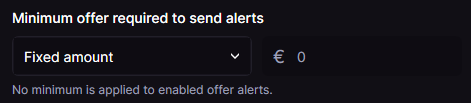
Fixed-amount mode: alerts only fire for offers at or above the amount you set.
- Percentage of listing price — Only send an alert when the offer is at least this percentage of that listing's current price. For example,
80%means an offer of 400 on a 500 listing qualifies, but a 350 offer does not.
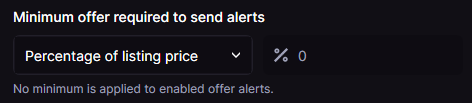
Percentage mode: alerts scale with each listing's own price.
Leave the value at 0 to apply no minimum. Every detected offer then sends an alert, which matches the previous behavior. In percentage mode the value is capped at 100.