 RestocksAIO Docs
Connect Exposly
Connect Exposly to RestocksAIO and follow its sales workflow.
Exposly is a wholesale marketplace. RestocksAIO includes Exposly in Marketplace and Premium.
Connect your account
- Get your Exposly access token.
- Open Settings ? Accounts in RestocksAIO.
- Choose Exposly.
- Paste the token into Connect Exposly.
- Connect the account.
RestocksAIO verifies the token and saves the account. If the token stops working, reconnect with a current token.
Confirm reservations
Confirm each reservation within 48 hours. Check the order details before you confirm the quantity.
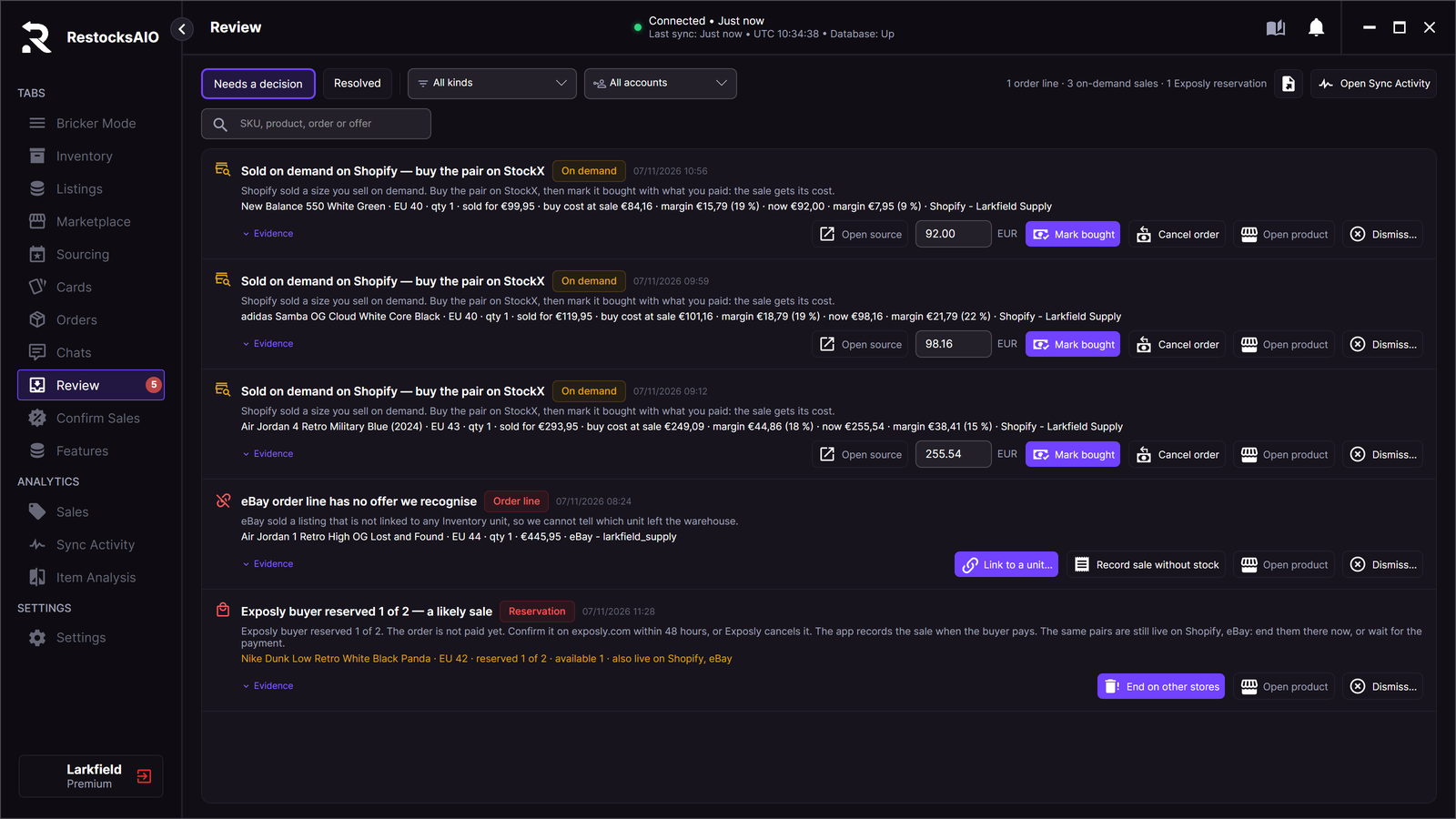
An Exposly reservation in Review. Sample data.
Ship to the warehouse
Exposly orders appear as rows in Labels. These rows track orders; they do not offer label purchase.
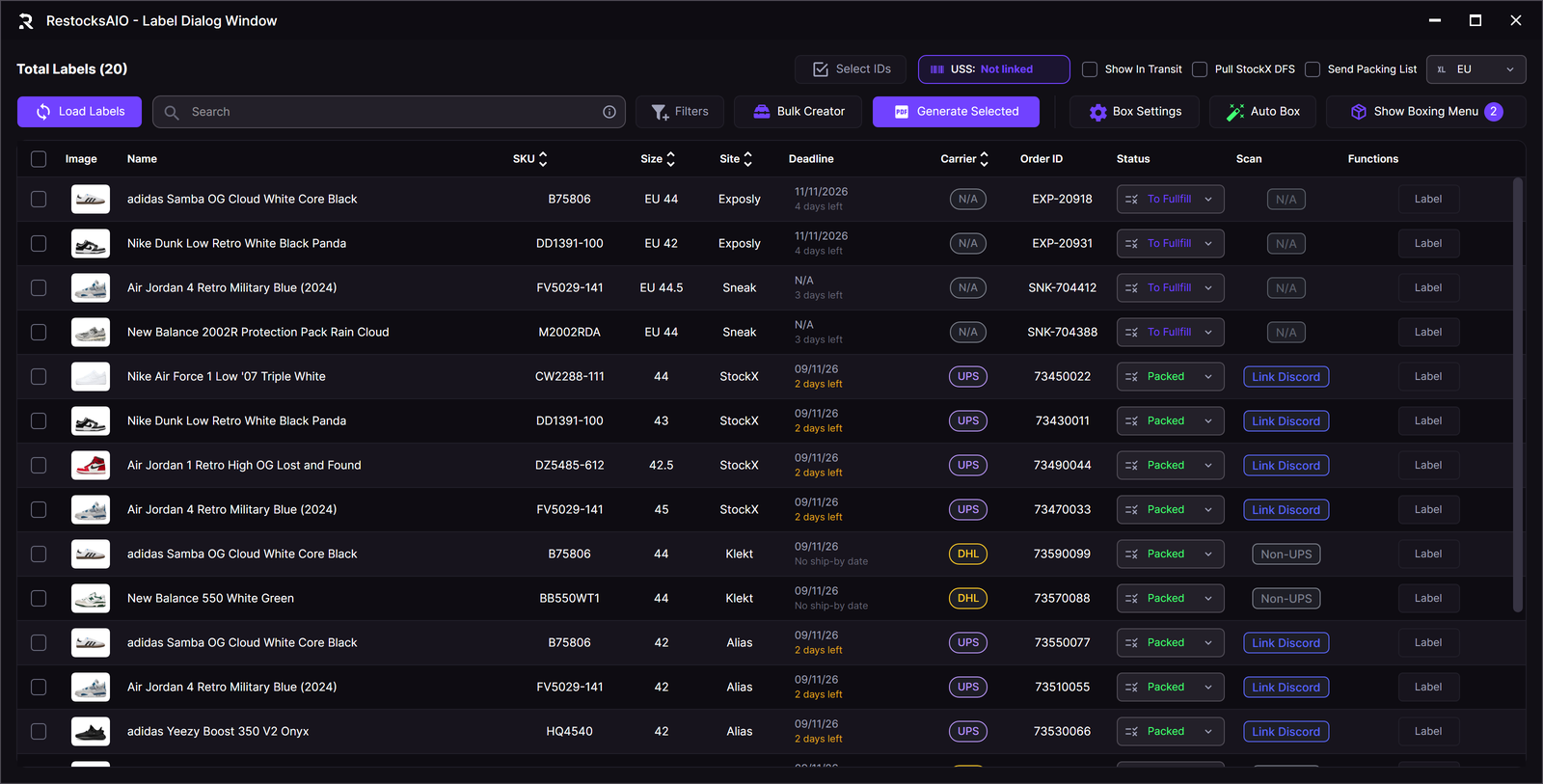
Exposly orders and Sneak sales in the Label Dialog. Sample data.
Ship the goods to the Exposly warehouse address in the order. Do not ship them directly to the buyer.
Exposly checks the goods at its warehouse and handles delivery to the buyer.
See How Exposly works for the supplier process.