 RestocksAIO Docs
Connect CardTrader
Add CardTrader to your card workflow.
Updated
Open Cards and use CardTrader to open the account controls. Choose CardTrader in Accounts. Enter your CardTrader API token and connect. The app checks the token before it saves the account.
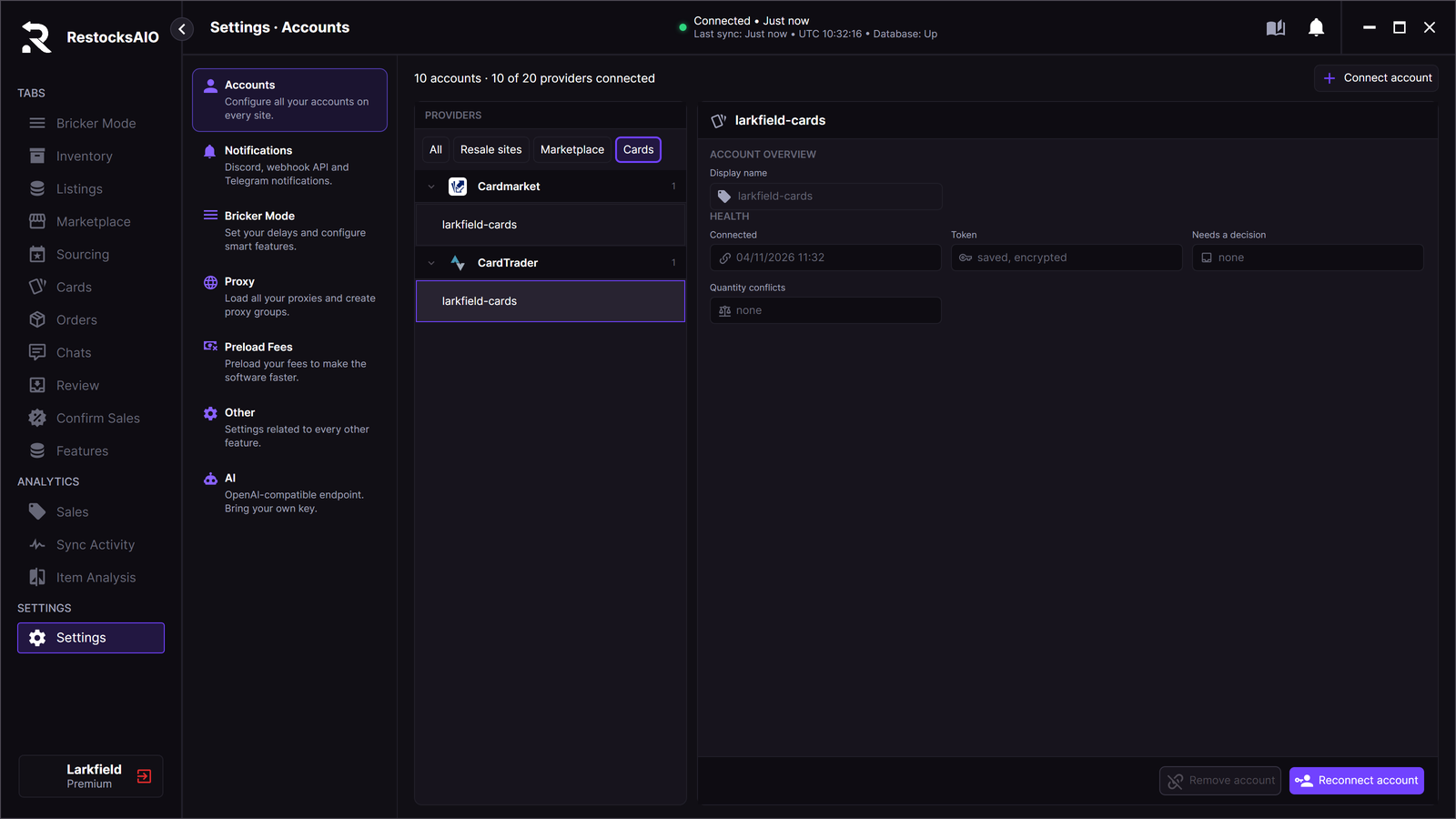
Cardmarket and CardTrader connected in Accounts. Sample seller.
Check the connected account before you prepare listings. Review the print, quantity, price and condition for each copy.
To list copies, tick them in Cards › Stock and click CardTrader.
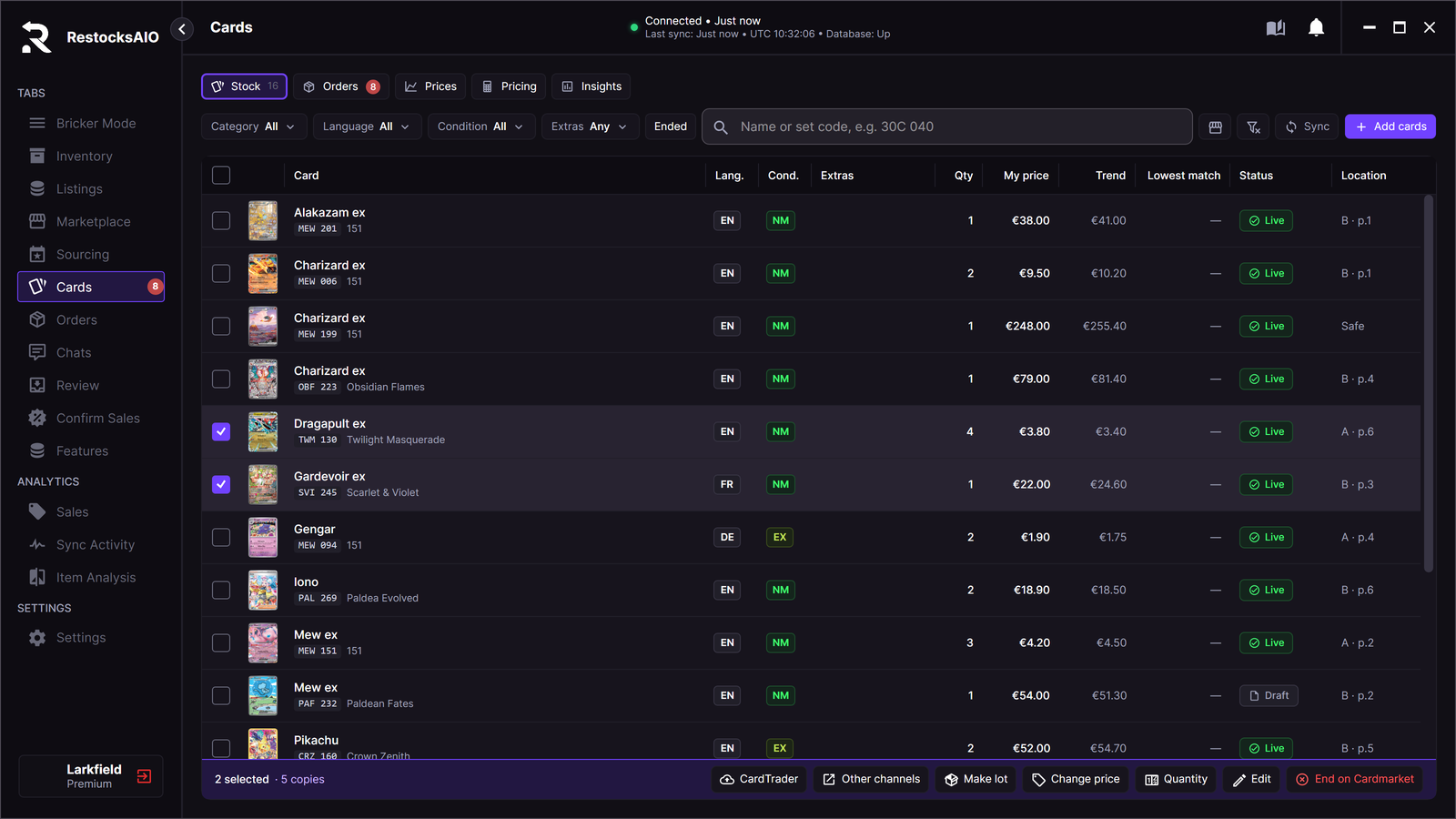
Two cards ticked for CardTrader. Sample data.