 RestocksAIO Docs
Pricing rules
Prepare card prices with a profit floor.
Updated
Open Cards, then Pricing. Set a rule for each channel. Set the profit floor before you prepare changes.
Choose a price source, such as the Cardmarket trend, a price average, a live offer or a fixed price. Set the multiplier, offset and rounding. Use condition, language, set or sealed-product filters to limit the rule.
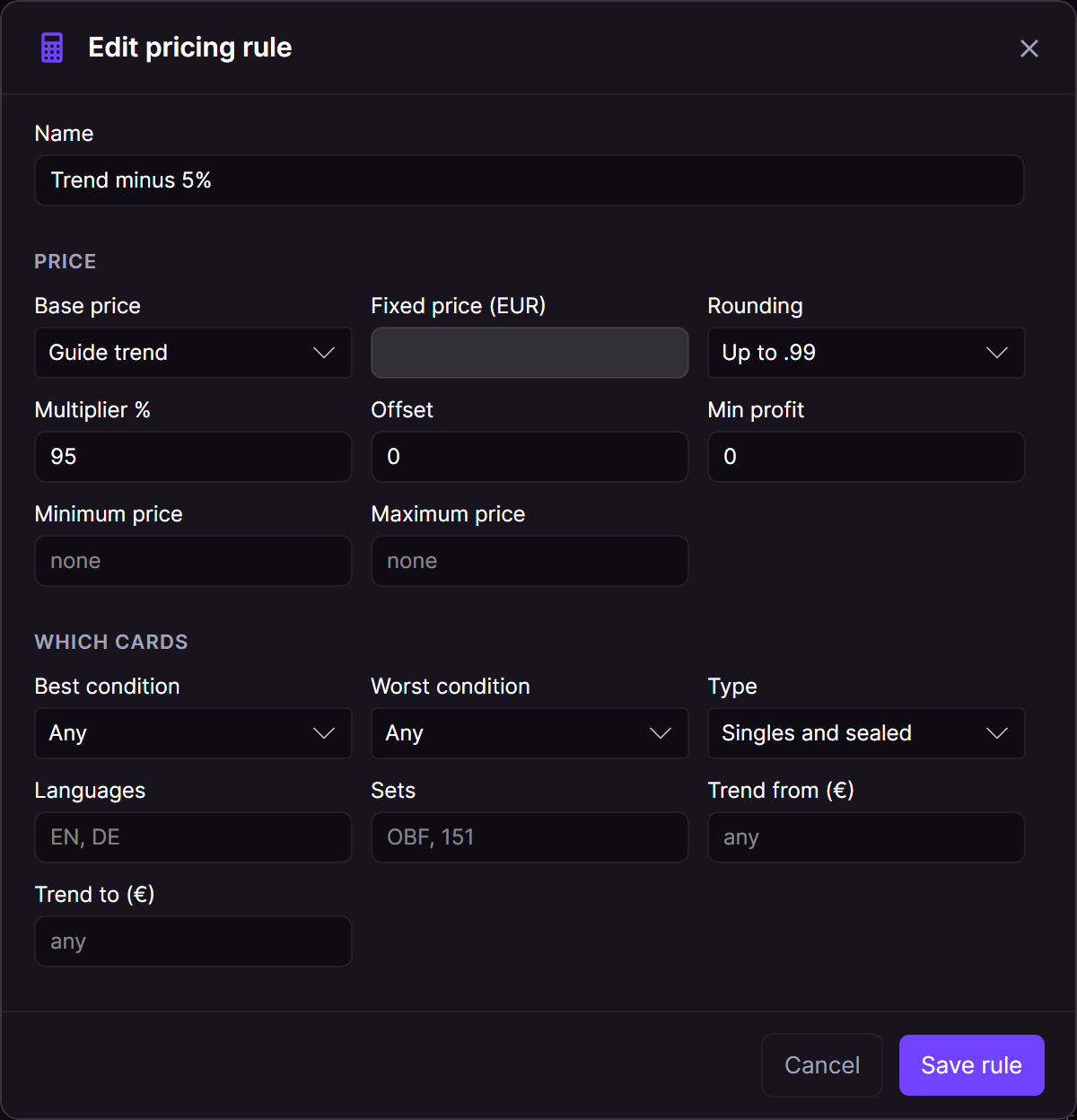
A sample rule uses 95 percent of the Cardmarket trend.
Check the channel fees, postage and card cost. The profit floor uses these values. The floor takes priority over the maximum price.
Click Dry run. This step calculates proposed prices without a live price change. Review each proposal before you apply it.
Daily preparation creates proposals for review. Do not treat a prepared proposal as an applied price. Check the result after you apply changes.
Use channel rules and the lot builder to prepare the copies that you want to sell.