 RestocksAIO Docs
Orders
Prepare card orders for shipment.
Updated
Open Cards, then Orders. Read the latest orders before you prepare a shipment.
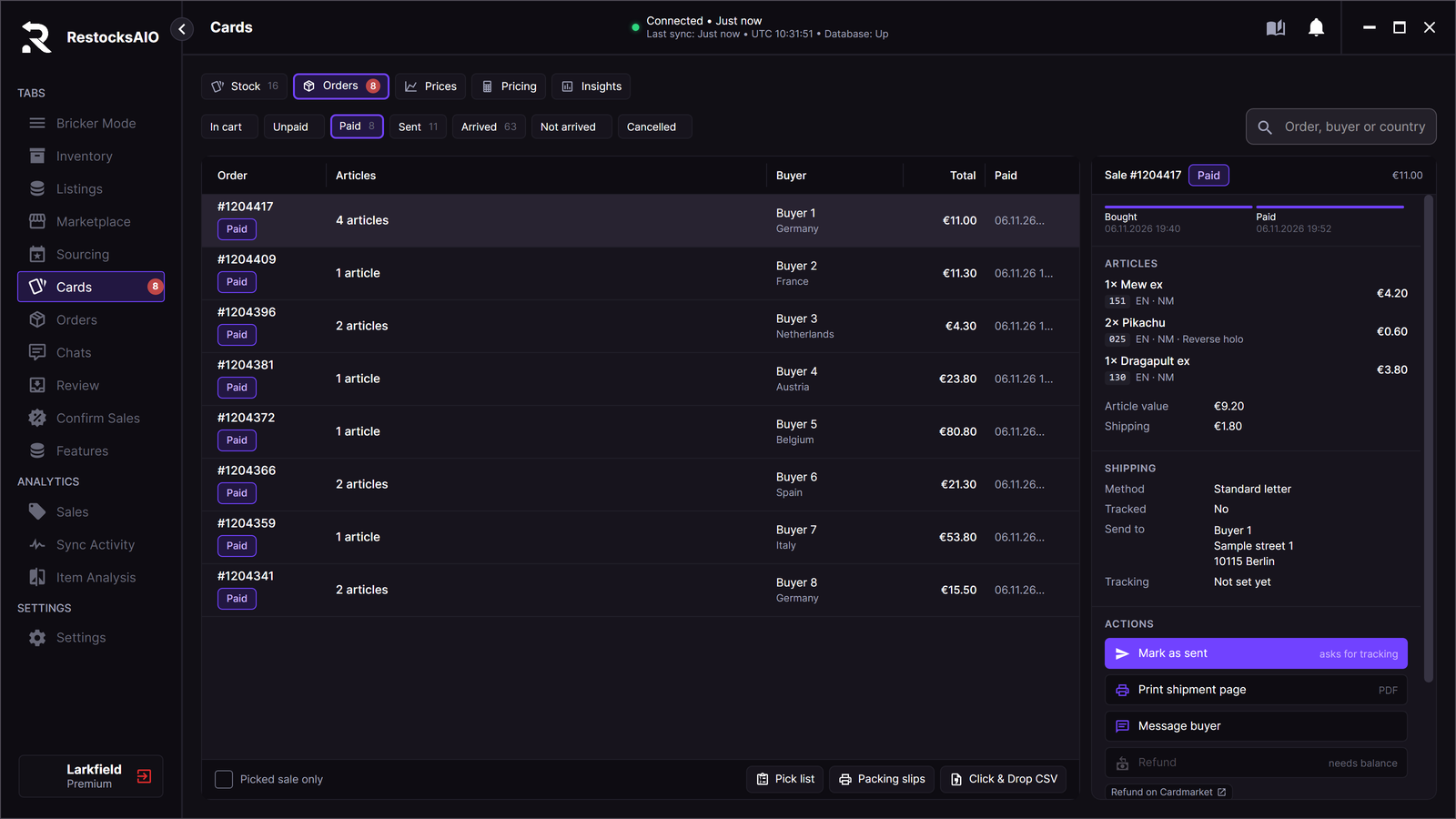
Paid sales, one sale open, and the document buttons under the list. Sample data.
Use the pick list to find each sold copy. Check the print, language, condition and quantity against the order.
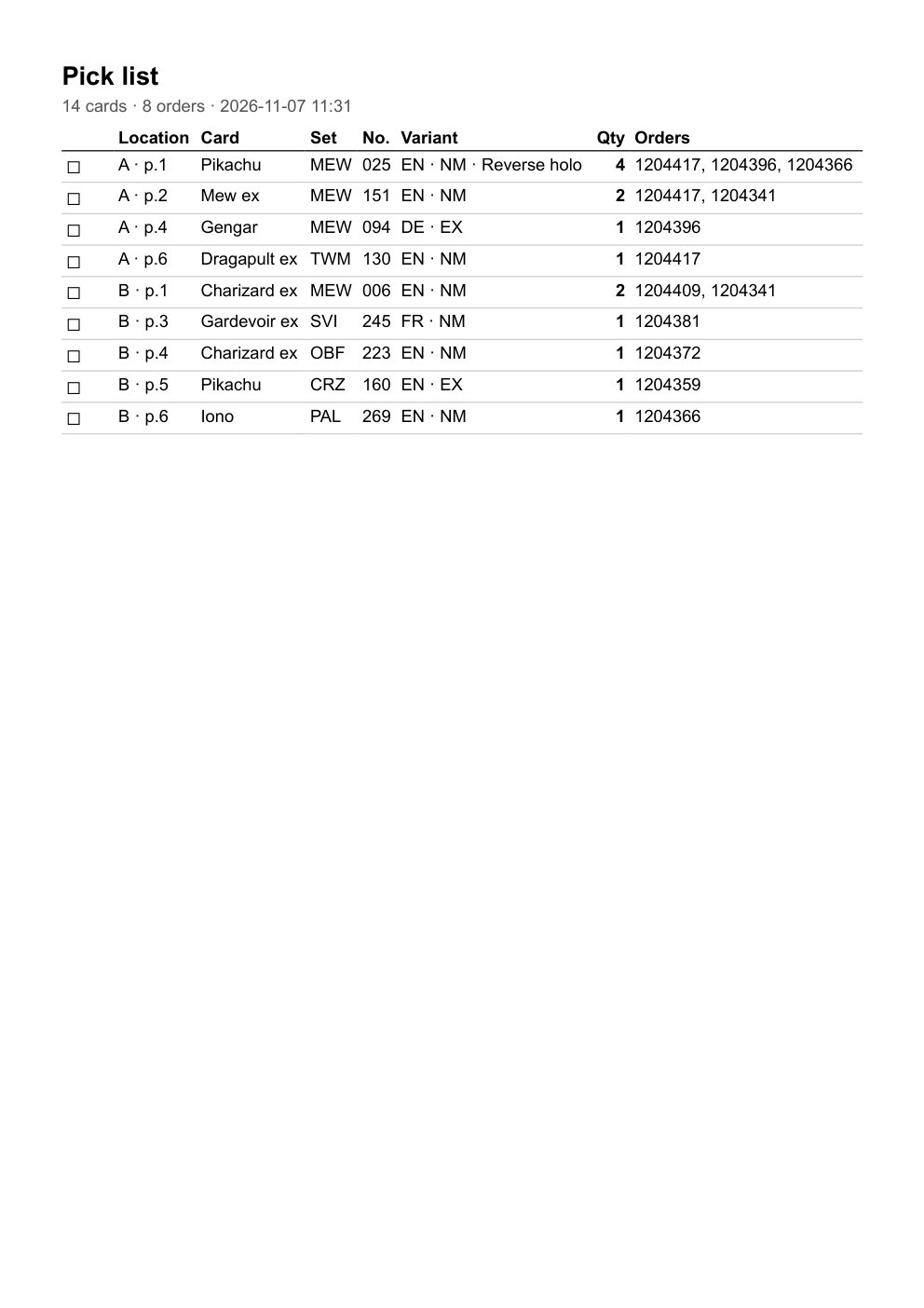
A pick list for eight sample sales.
Create packing slips for the parcels. Export the Click & Drop CSV when you use that shipment workflow.
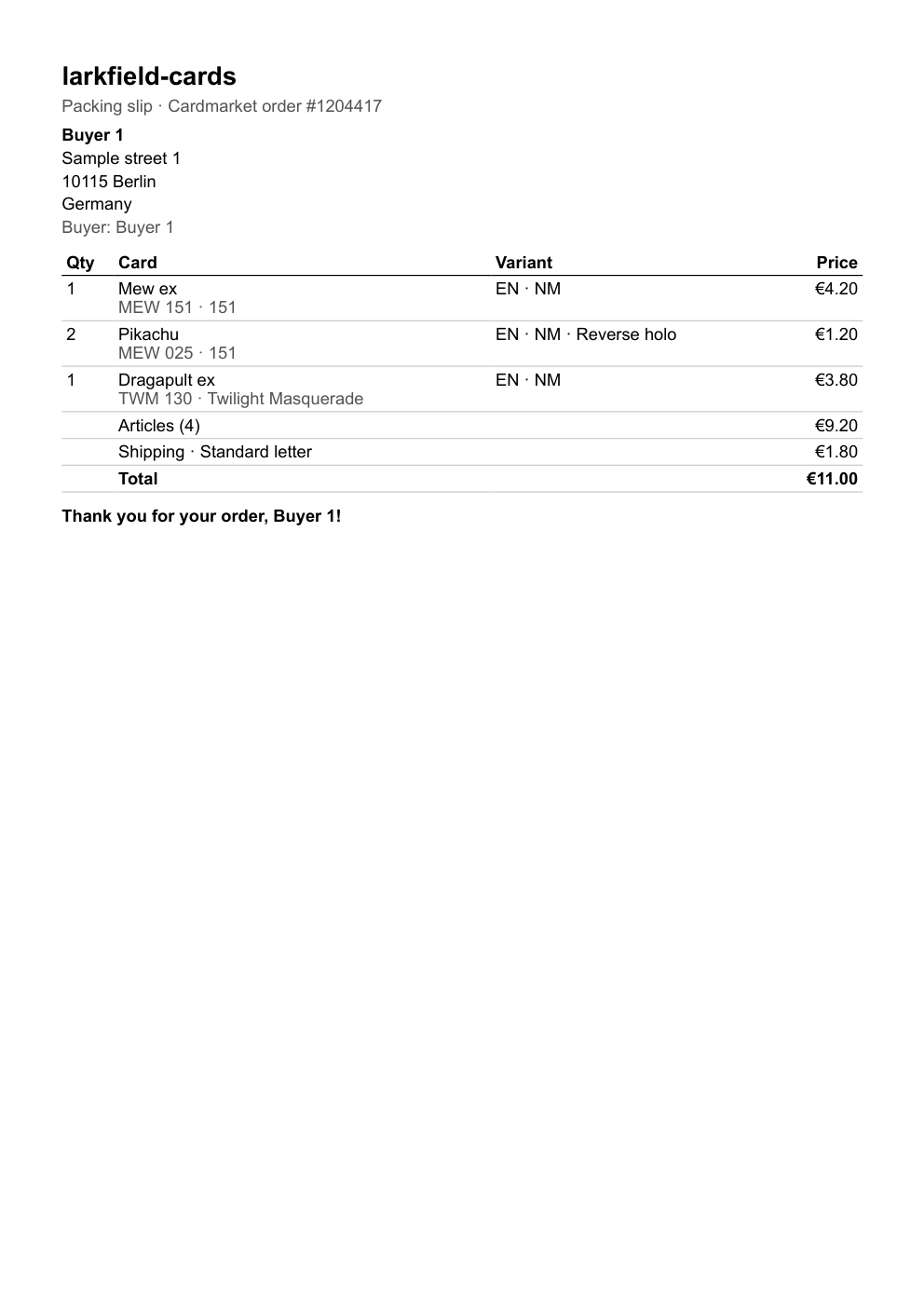
The packing slip of one sample sale, on A4 paper.
Check the parcel details before shipment. Mark the order as sent after shipment and check the result.