 RestocksAIO Docs
Cards
Connect one Cardmarket account and one CardTrader account, price prints from the price guide, and prepare pick lists. Cards is its own plan group.
Updated
Cards is available in Marketplace and Premium on Windows and macOS. Marketplace costs EUR 15/month. Desktop 0.4.41.56 includes Cards.
Add your stock
Open Cards, then Stock. Connect your account and use Sync to read Cardmarket stock and orders.
Cards works with every game that Cardmarket sells: Pokémon, Magic: The Gathering, Yu-Gi-Oh!, One Piece, Disney Lorcana, Flesh and Blood, Dragon Ball Super, Digimon, Star Wars: Unlimited and Riftbound. From version 0.4.41.71, every part of Cards works for each of these games:
- Stock, sales, orders and CardTrader.
- The Trend column and the pricing rules. Each card uses the Cardmarket price guide of its own game.
- Insights trends and buy-low watches.
- Search, barcode search, the photo scan and the CSV import.
- eBay titles and item specifics. The eBay Game and Manufacturer come from the game of the card.
A card gets its game from its Cardmarket link. A card without a link counts as Pokémon.
Foil. Pokémon copies keep the Rev. holo extra. Copies of every other game have a Foil extra. Both use the foil price of the price guide.
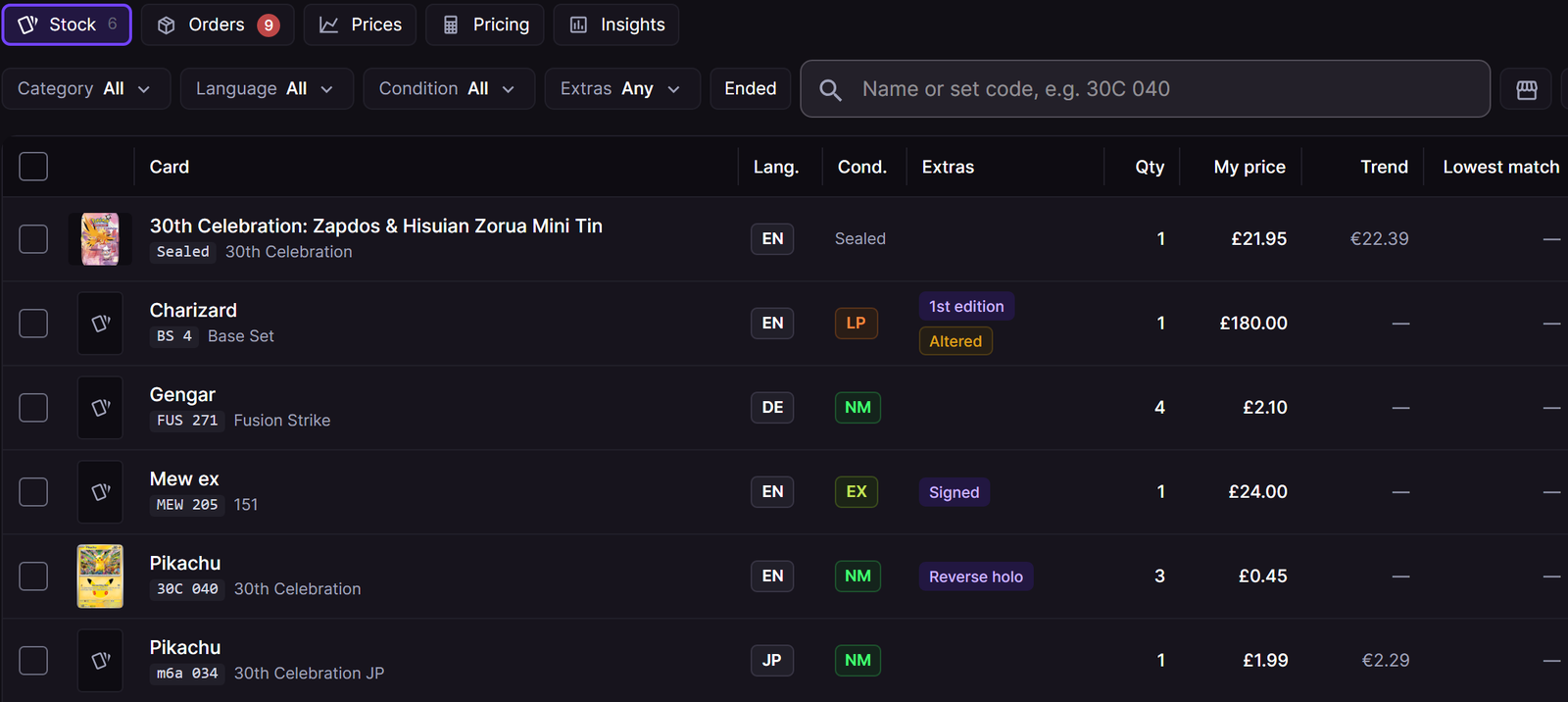
Card stock with sample quantities and prices.
Click Add cards to add cards. In that window:
- Scan cards reads cards from photos and finds the exact Cardmarket print by set code and number. See Scan cards.
- Import CSV reads a Cardmarket, TCGplayer or Collectr file, or the RestocksAIO CSV. See Import cards.
- Choose the game in the list above Find a card. The search, the scan and the CSV import look in that game. Pokémon is the default.
- Type a barcode in Find a card to add a sealed product. See Import cards.
In Stock, use the Game filter to show one game, and the Extras filter to show Reverse holo or Foil copies.
Check the exact print, language, condition and quantity before you click Keep as stock or List on Cardmarket. Cardmarket trends refer to the print.
Prepare sales
Use channel rules and the lot builder to prepare copies. Review the eBay card category, item specifics and condition before publication. You can also list copies on Vinted and Shopify.
Insights shows stock age, sell-through, slow cards and buy-low alerts. The TCGplayer CSV is an export, not an account connection.
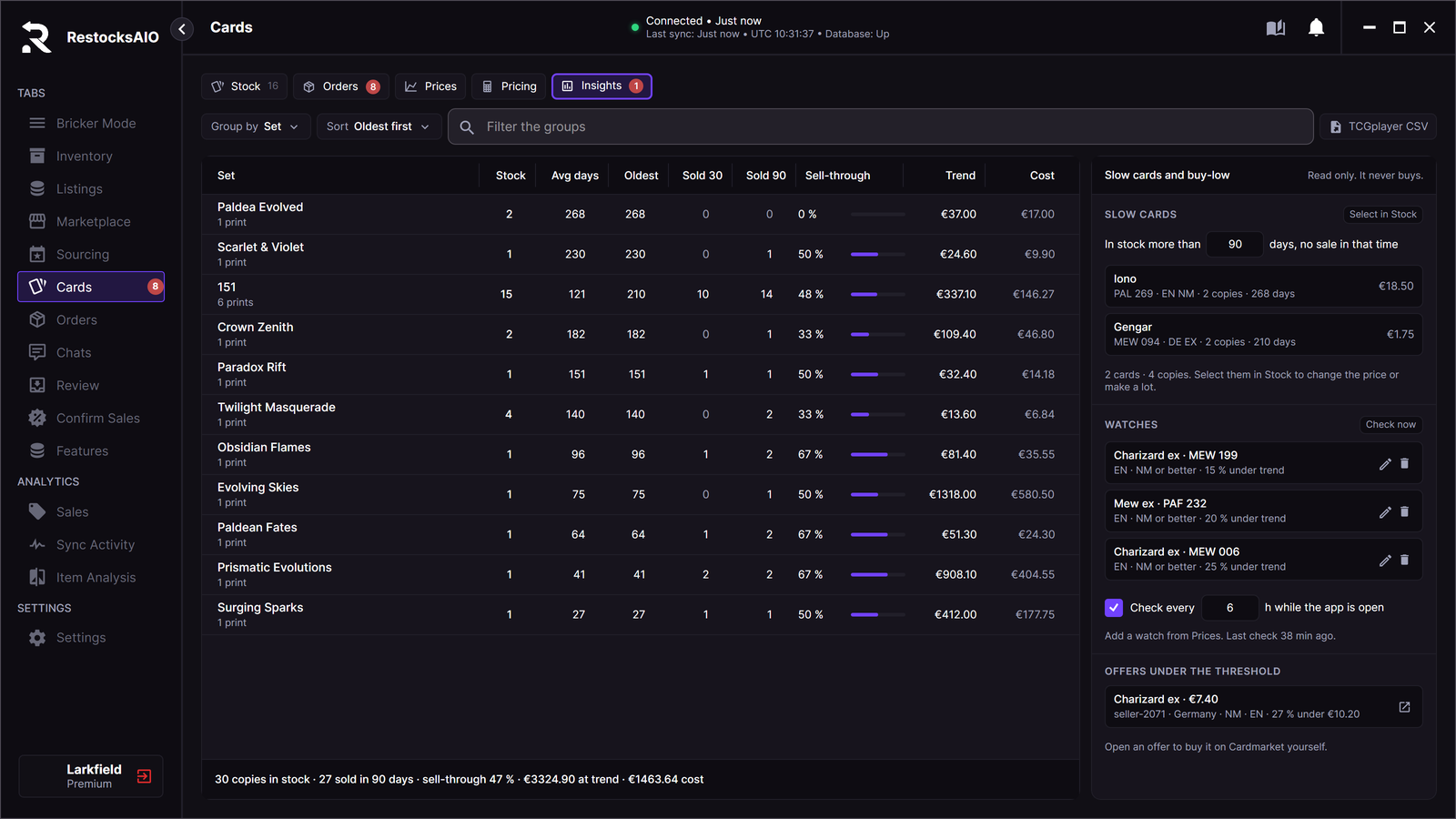
Insights grouped by set, with slow cards and buy-low watches. Sample data.