 RestocksAIO Docs
Sell from a Link
Paste Amazon or shop links. RestocksAIO reads each page, makes the Inventory units and opens Publish with an eBay draft: category, item specifics, copy, price and the eBay catalogue photos.
Sell from a link turns product links into Inventory units and eBay drafts in one step. Use it for new, sealed products that you bought in a shop, for example electronics, accessories or pet food, when you have no photos of your own.
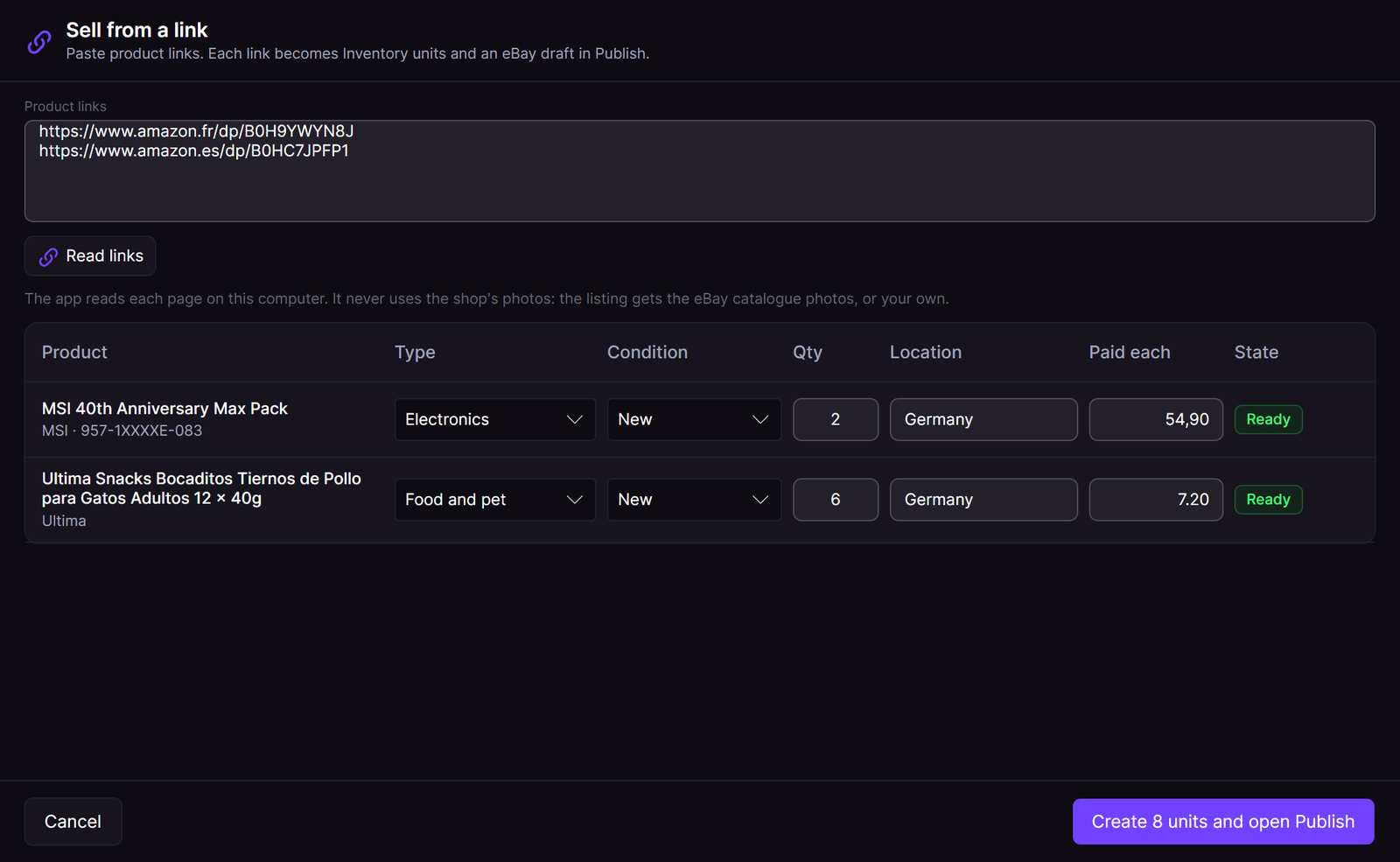
Two Amazon links, read on this computer. Each link is one row.
Open it
- Inventory: click More, then Sell from a link… under Integration.
- Marketplace: click New product, then Sell from a link….
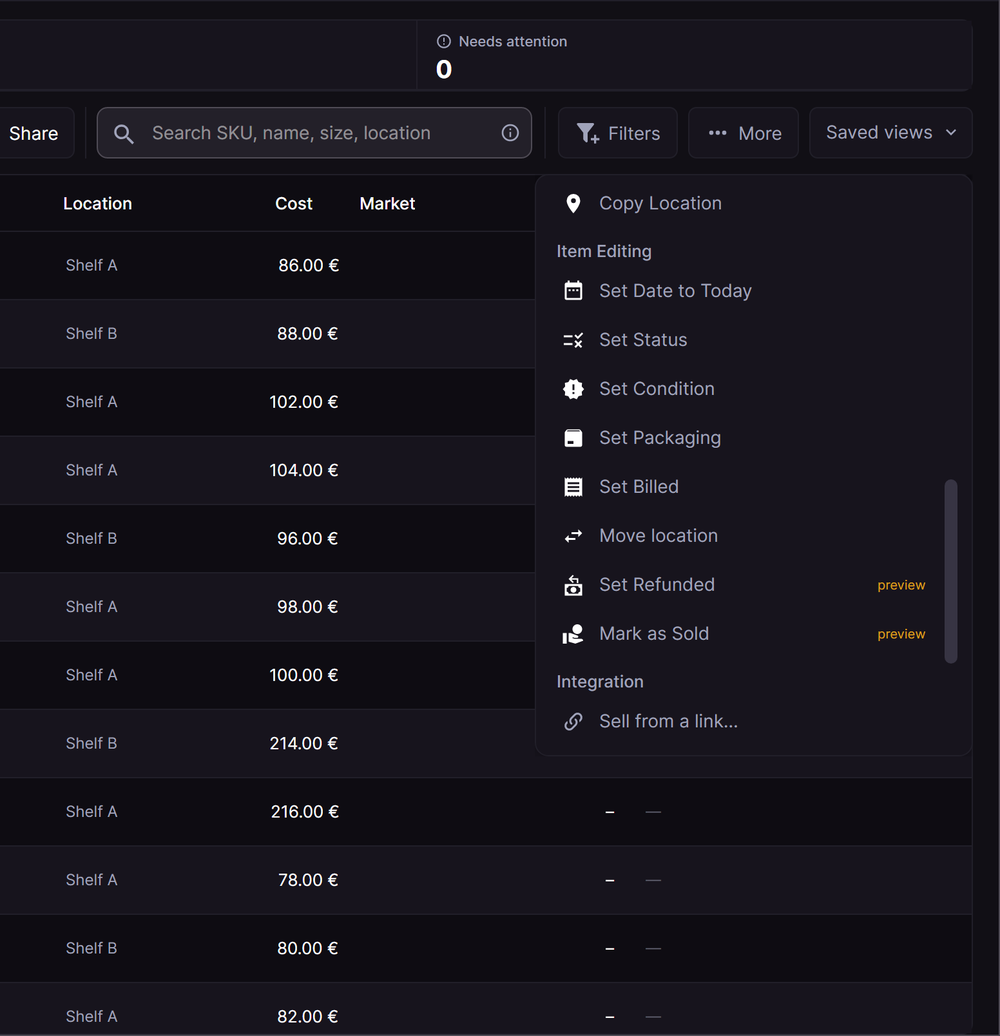
Sell from a link is in the More menu of Inventory.
Read the links
- Paste one or more product links in Product links. Put one link on each line.
- Click Read links.
- Each link becomes a row. The state shows Reading, then Ready.
The app reads each page on your computer. It sends no cookies and no login. When a page cannot be read, the row says why, for example that the shop refused the read.
Check each row
Each row shows what the page states: the product name, the brand, the model number and the barcode (EAN), when the page has one.
| Field | What to set |
|---|---|
| Type | The product type from the page. Change it when it is wrong. See Product Types. |
| Size | Only for clothing, accessories and sneakers. Empty means one size. |
| Condition | New by default. |
| Qty | How many units you have. |
| Location | The Inventory location of the units, for example the country where they are. eBay uses it for the ship-from location. |
| Paid each | The price you paid for each unit. This field is optional. |
Click Create N units and open Publish. The app adds the units to Inventory with one save. If the save fails, no unit is added and the window says so.
The eBay draft
Publish opens with one offer for each link. eBay is ticked on every offer. The app fills the eBay draft from the page facts:
- Category: the category of the eBay catalogue product, else eBay's suggestion for the name.
- Item specifics: brand, model, the manufacturer part number and colour from the page.
- Title and description: written from the facts in the language of the eBay site. The app never copies the shop's text.
- Price: the suggested price from the market value and the eBay fees. Click Apply to use it.
- Ships from: the eBay location of the units' Inventory location. See one eBay location for each Inventory location.
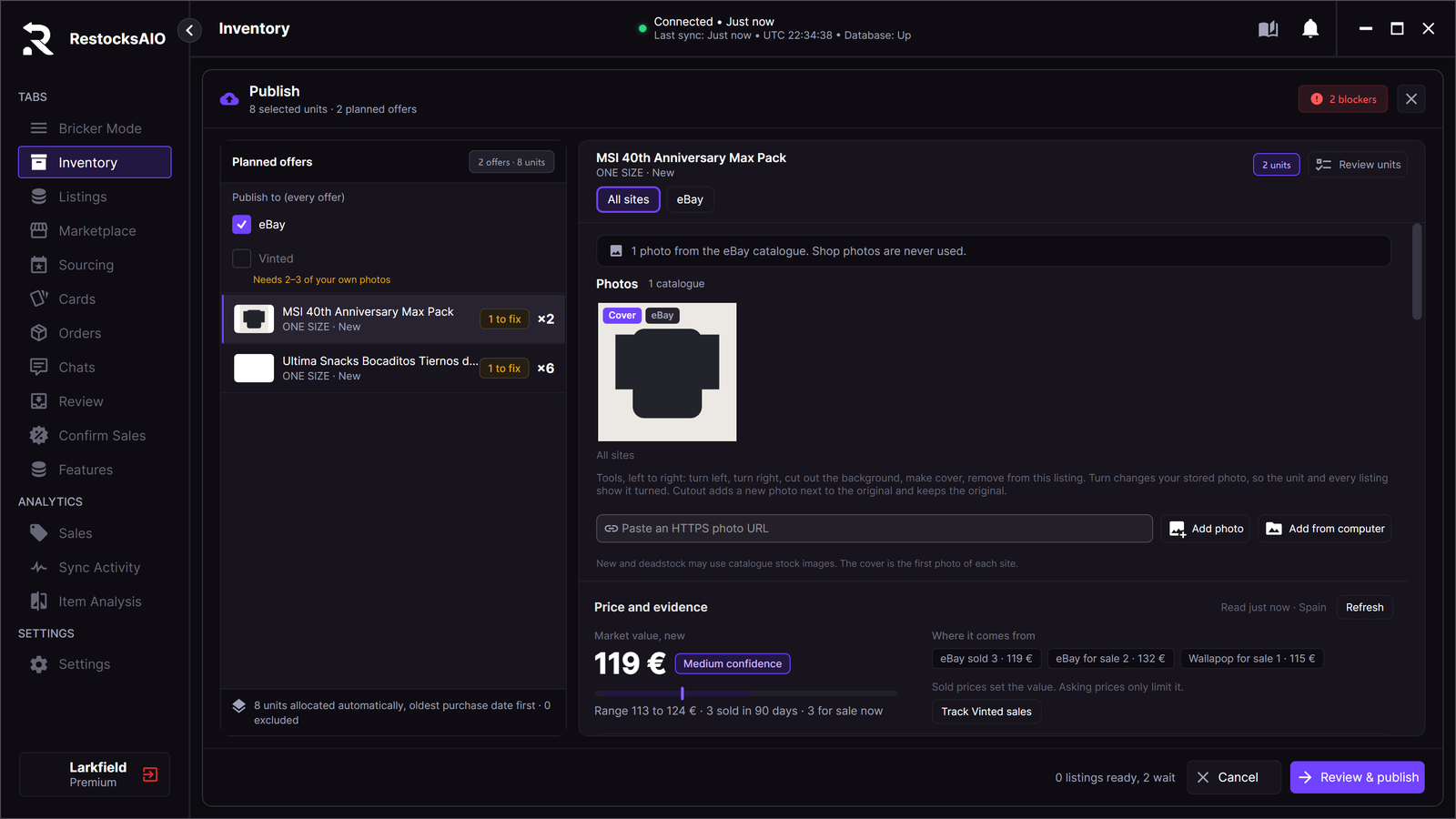
The photo comes from the eBay catalogue. The shop's photo is never used.
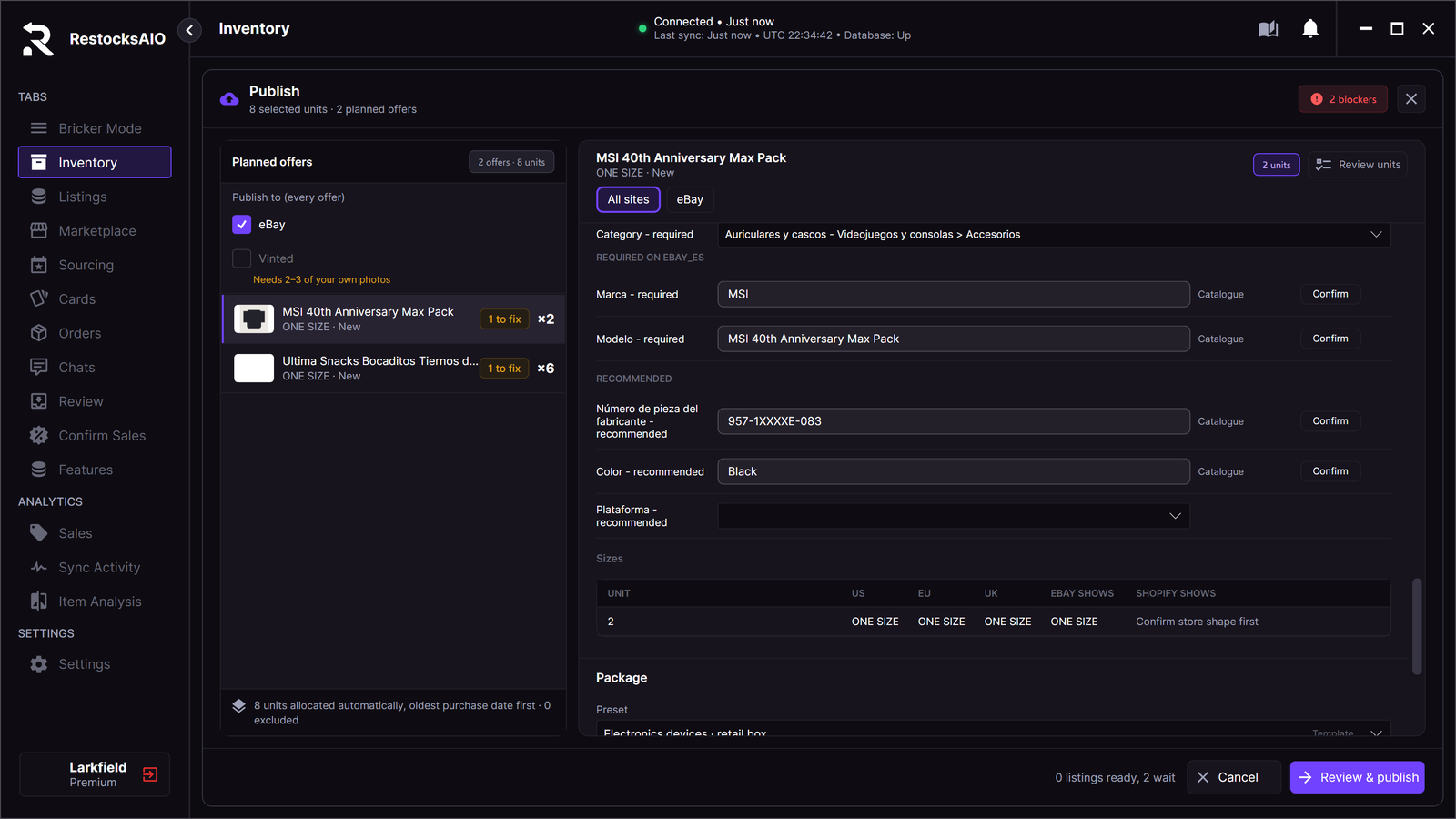
The item specifics come from the page facts. Click Confirm on each one.
Photos
The app never uses the photos of Amazon or of the shop. It looks for the product in the eBay catalogue, by the barcode, else by the brand and the model number. When eBay has the product, its catalogue photos go into the listing.
When the eBay catalogue has no photo, or the page shows no barcode and no model number, the Photos section says so. Click Add your photos to choose photos on this computer, or From phone to add the photos that you took with the phone app in the last day.
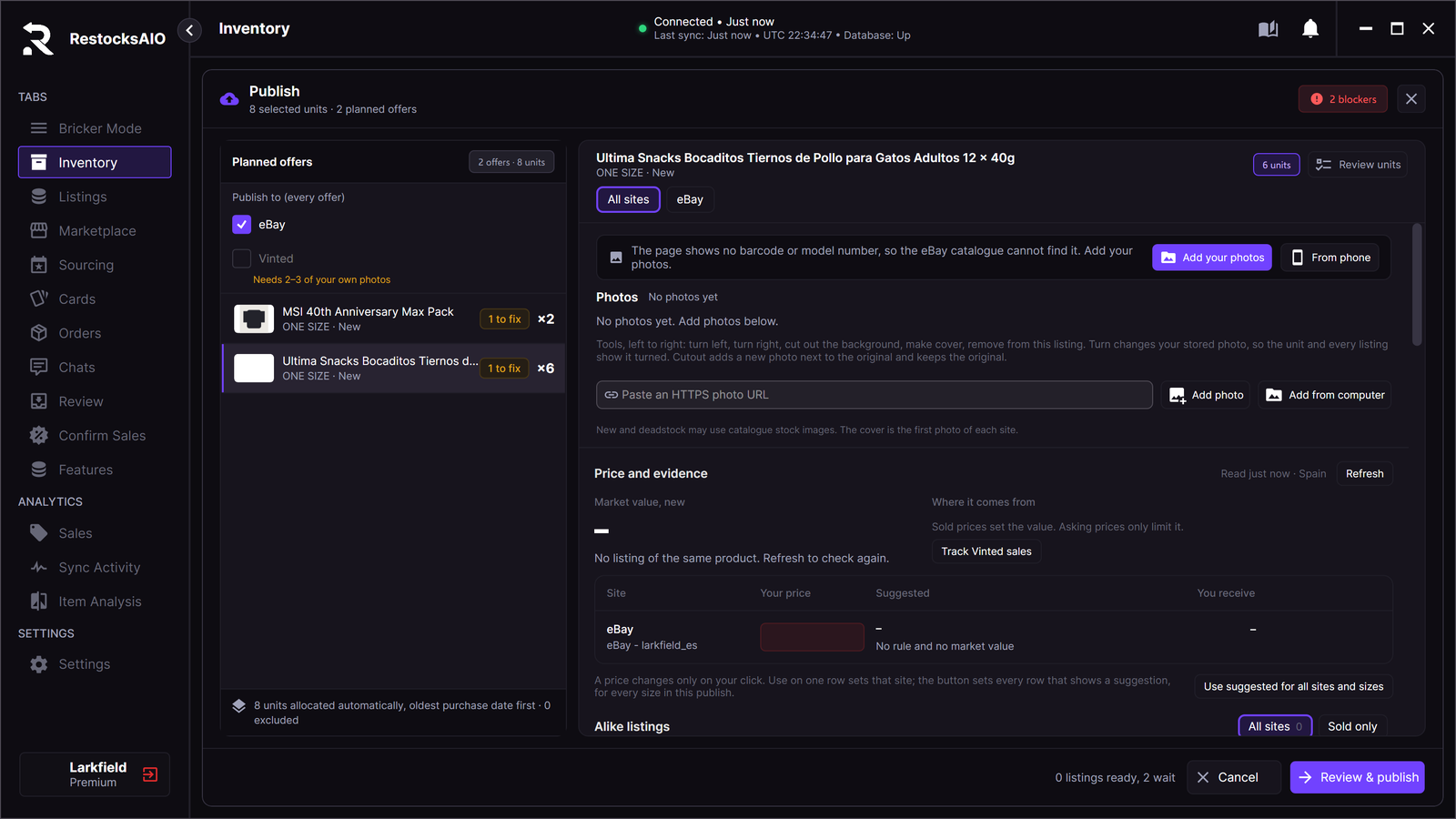
No catalogue photo: add your own photos.
Vinted and Wallapop
Vinted and Wallapop take only your own photos. They stay unticked, with the note Needs 2–3 of your own photos. When an offer has your photos, you can tick them.