 RestocksAIO Docs
Listing photos
Each eBay and Shopify account has its own listing-photo settings. Add your watermark to a store's photos and choose the picture source that comes first.
Each eBay or Shopify account has its own Listing photos settings: your watermark, and a preferred picture source. Both are off until you set them. They apply when the Publish Composer publishes to that account.
Listing photos is part of the eBay and Shopify tools in Premium. It is in the macOS app and the new Windows app.
Open the settings
- Open Settings → Accounts and select the eBay or Shopify account.
- Scroll to Listing photos, under Publishing defaults.
- Change a setting. Each change is saved at once.
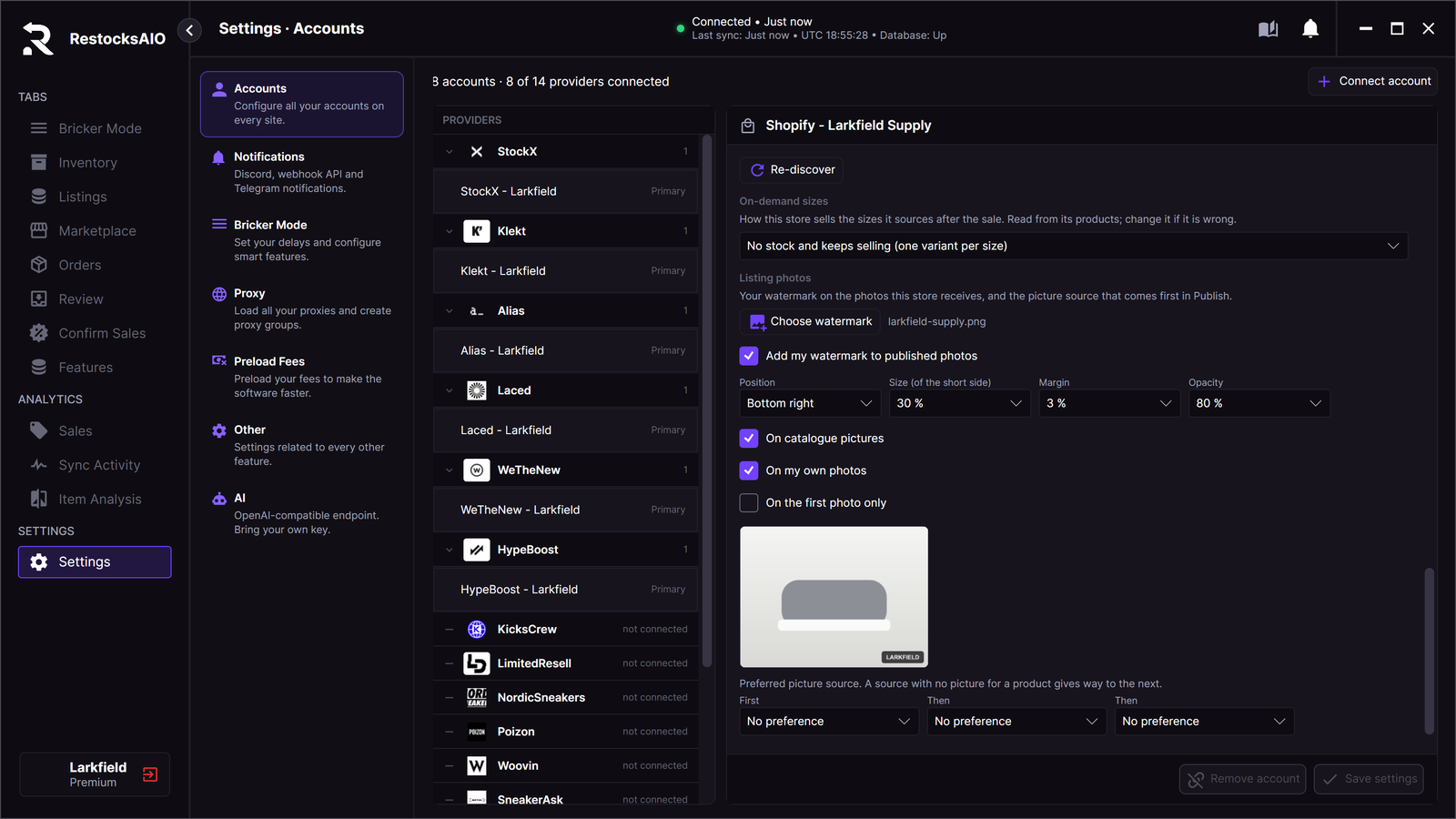
Listing photos of one Shopify store. The preview draws the watermark on a sample photo.
Watermark
- Click Choose watermark and select a PNG file of 5 MB or less. Use a PNG with a transparent background. RestocksAIO keeps its own copy of the file.
- Tick Add my watermark to published photos. The box is off until you choose a watermark.
- Set where the watermark shows. The preview under the settings follows every change.
| Setting | What it does | Starts at |
|---|---|---|
| Position | One of nine places: the four corners, the four edges and the centre. | Bottom right |
| Size (of the short side) | The width of the watermark, as a percentage of the shorter side of the photo. | 20 % |
| Margin | The distance from the edge, as a percentage of the shorter side. | 3 % |
| Opacity | 100 % shows the watermark as it is. | 80 % |
| On catalogue pictures | Catalogue pictures and marketplace listing photos get the watermark. | On |
| On my own photos | Photos you add by link or from this computer get the watermark. | On |
| On the first photo only | Only the first photo the store receives gets the watermark. | Off |
You choose for each store if its photos carry a watermark. Each store has its own rules for pictures. For eBay, read eBay's picture policy before you turn the watermark on for an eBay account.
What happens when you publish
- A photo that gets the watermark is drawn with it and uploaded to the store. A photo without a watermark is sent as before.
- The photo keeps its pixel size. A photo without transparency is sent as a JPEG.
- Shopify accepts up to 5000 px on a side and 25 megapixels. RestocksAIO makes a larger photo smaller for Shopify.
- A file can have 12 MB on eBay and 20 MB on Shopify.
- In Listing quality… → Images, each tile that gets the watermark of the selected store shows the word watermark. The line under the gallery gives the count.
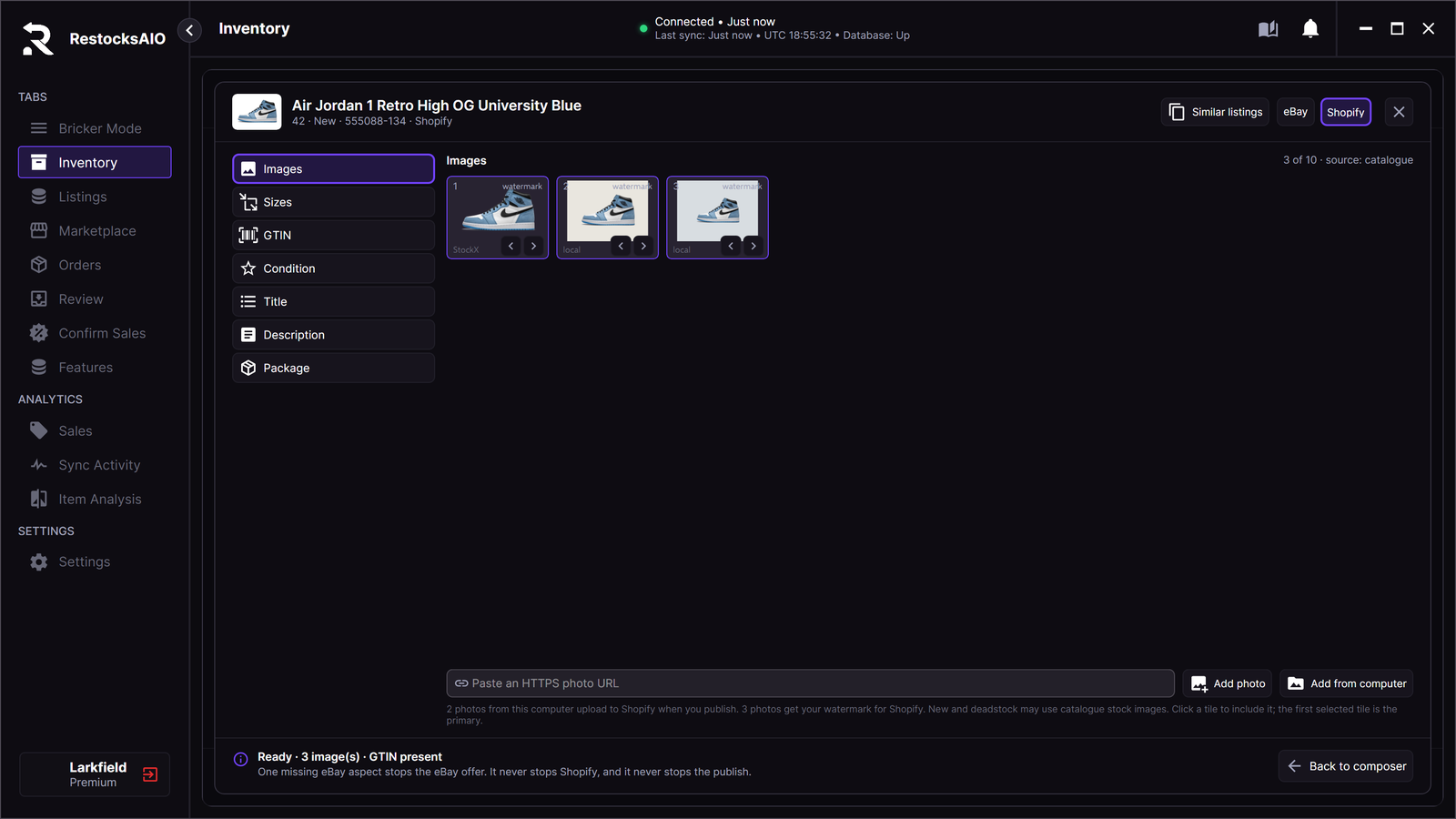
All three photos get the watermark for Shopify: both check boxes, On catalogue pictures and On my own photos, are ticked for this store.
The publish to one store stops, and nothing is sent to that store, in these cases.
| Message | What to do |
|---|---|
| This store's watermark image is missing. Choose it again in Accounts > Publishing defaults, or turn the watermark off. | Choose the PNG again, or untick Add my watermark to published photos. |
| The photo is not a JPG, PNG or WebP image the watermark can be drawn on. | Replace the photo with a JPG, PNG or WebP file. |
| The photo with its watermark is over the store's (limit) MB limit. | Use a smaller photo. |
Preferred picture source
A product can have pictures from several sources. Choose up to three sources in order under First, Then and Then. The choices are My own photos, Catalogue picture and each resale marketplace, for example StockX or GOAT / Alias. No preference leaves a place empty.
- The gallery puts the photos of the first source first, then the second, then the third. The other photos keep their order.
- A source with no picture for a product gives way to the next.
- The preference changes the order only. It does not tick or untick a photo, and it removes none.
- After you move a photo by hand, the preference does not change the order of that offer again.
- When one publish goes to two stores with different preferences, the first included store with a preference decides.
Limits
- The settings apply when the Publish Composer publishes. A listing that is on the store already keeps its photos.
- Edit listing sends the photo links as they are, without a watermark.
- The photo limits of the stores stay: up to 24 photos on eBay and 10 on Shopify. A used pair still needs one of your own photos.
- RestocksAIO has no crop and no background removal.