 RestocksAIO Docs
Account Look
Set how the photos of a listing change when you copy it to an account: same photos, a light change, or a new background from Photo Studio.
The Look of an account sets the photos that a copy to this account gets. A copy comes from Copy to accounts or from Fill gaps in the Spread view. Each account has its own look.
The Look is in the macOS app and the new Windows app, from version 0.4.41.66. It shows for Vinted, Wallapop, eBay and Shopify accounts. A new background needs Premium.
Open the settings
- Open Settings → Accounts and select the account.
- Scroll to Listing photos, under Publishing defaults.
- Find Look.
- Change a setting. Each change is saved at once.
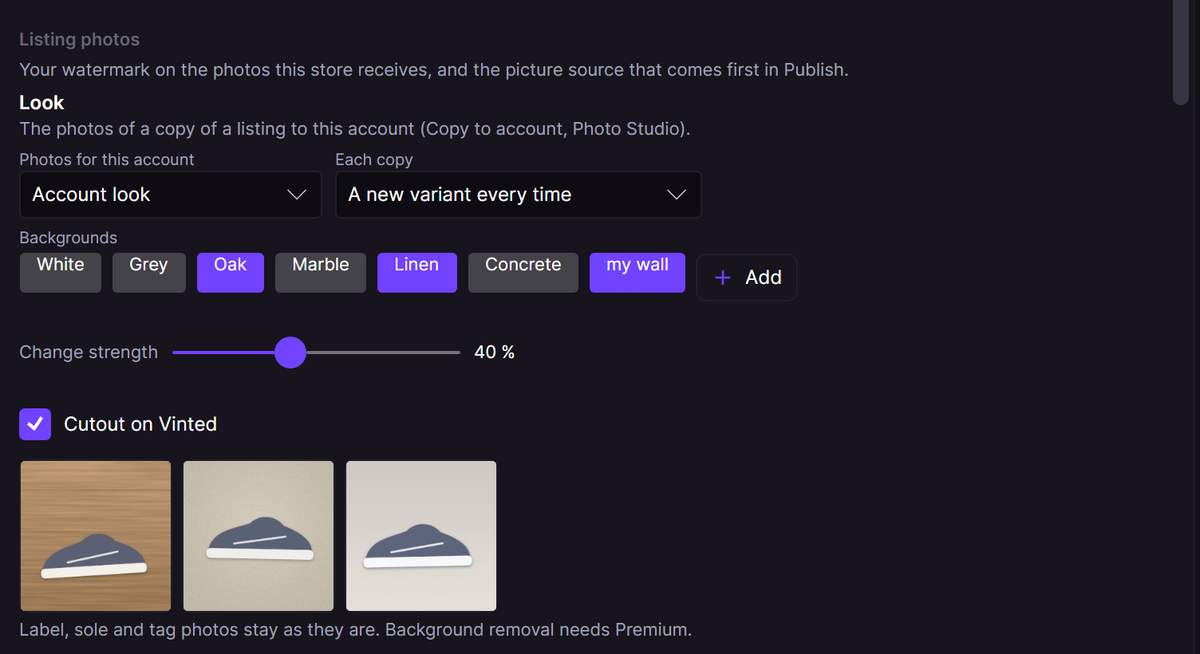
The Look of a second Vinted account. The preview draws three copies of a sample item.
Settings
| Setting | What it does | Starts at |
|---|---|---|
| Photos for this account | Same photos: the listing photos as they are. Light change: a small crop and light change of each photo. Account look: Photo Studio makes a new set when the copy starts. | Light change |
| Each copy | A new variant every time, The same set for this account, or Light change only. | A new variant every time |
| Backgrounds | The backgrounds of this account. Click a background to add it or take it out. Add adds a photo of your own background. Without a choice, the look uses White. | None |
| Change strength | How much each copy changes, from 0 to 100 %. | 50 % |
| Cutout on Vinted / Cutout on Wallapop | On: a copy to this account can get a new background. Off: a small change only, never a new background. | Off |
With The same set for this account, a copy uses the set that you saved in Photo Studio. Without a saved set, it uses the last set that the look made.
The line under the preview tells you the result. "Label, sole and tag photos stay as they are." means that the look keeps those photos as you took them.
Vinted and Wallapop
Vinted and Wallapop ask for real photos of the item. For this reason, Cutout on Vinted and Cutout on Wallapop are off at the start. When the setting is off, the look changes each photo a little (crop, turn, light and colour) and keeps your background. This change happens on your computer and uses no service.
eBay and Shopify
eBay and Shopify copies keep the listing photos. Account look does not apply to them.
How a copy uses the look
Copy to accounts starts the Photos choice of each account with its look. You can change the choice for one copy in that window. When Photo Studio cannot make the set, for example at the daily cutout limit, that account gets no copy. RestocksAIO shows the reason and sends nothing to that account.