 RestocksAIO Docs
Spread View
One row per item and one column per account of a site. Find the items that are missing on an account, fill the gaps, put new photos on live listings, or relist.
The Spread view of the Marketplace tab shows each item on every connected account of one site. Each row is one item. Each column is one account. Use it when you sell the same items on several accounts, for example three Vinted accounts.
The Spread view is in the macOS app and the new Windows app, from version 0.4.41.66. It reads only the listings that RestocksAIO already has on your computer. It sends nothing until you click an action.
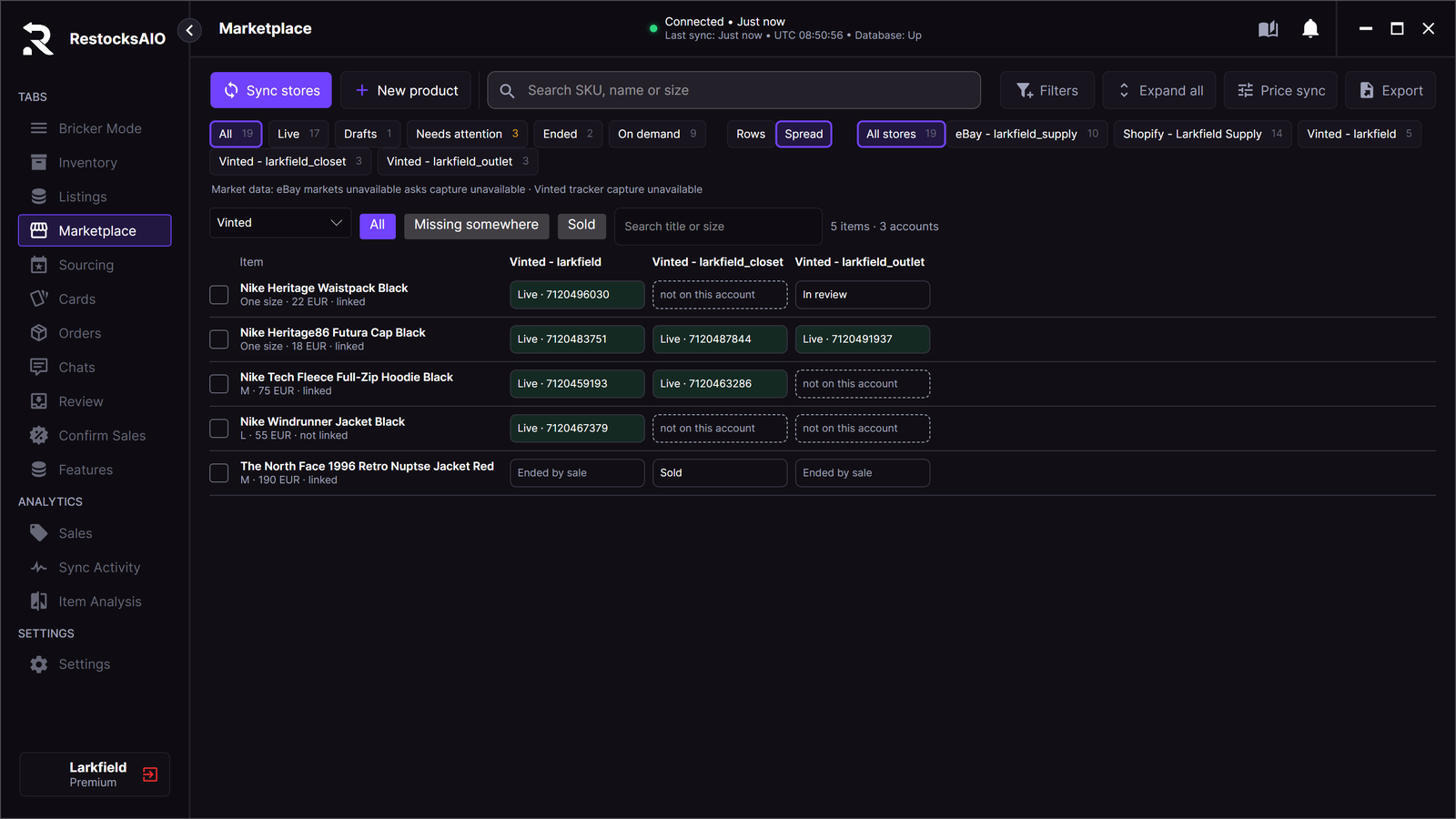
Five items on three Vinted accounts. Sample data.
Open the Spread view
- Open the Marketplace tab.
- Click Spread, beside Rows.
- Choose the site in the list on the left: Vinted, Wallapop, eBay or Shopify. The list shows only the sites with a connected account.
To go back to the product list, click Rows.
The cells
| Cell | What it means |
|---|---|
| Live · item id | The item is on sale on this account. |
| not on this account | The account does not have the item. Fill gaps copies it here. |
| In review | The site holds the listing in review. |
| Draft | The listing is a draft. |
| Sold | The item sold on this account. |
| Ended by sale | A sale on another account ended this listing. |
Under the item name, linked means that the listings hold the same Inventory item. not linked means that the listing holds no Inventory item yet. The first copy links it. See Linked copies.
Listings that hold the same Inventory item show as one row. A listing that ended without a sale (deleted, relisted or expired) shows as not on this account.
Filter and search
- All: every item.
- Missing somewhere: items that are live on one account and missing on another.
- Sold: items that sold on an account.
- Search title or size: type a part of the title or the size.
The count beside the search shows the number of items and accounts.
Actions
Tick one or more rows. The bar at the bottom shows the actions.
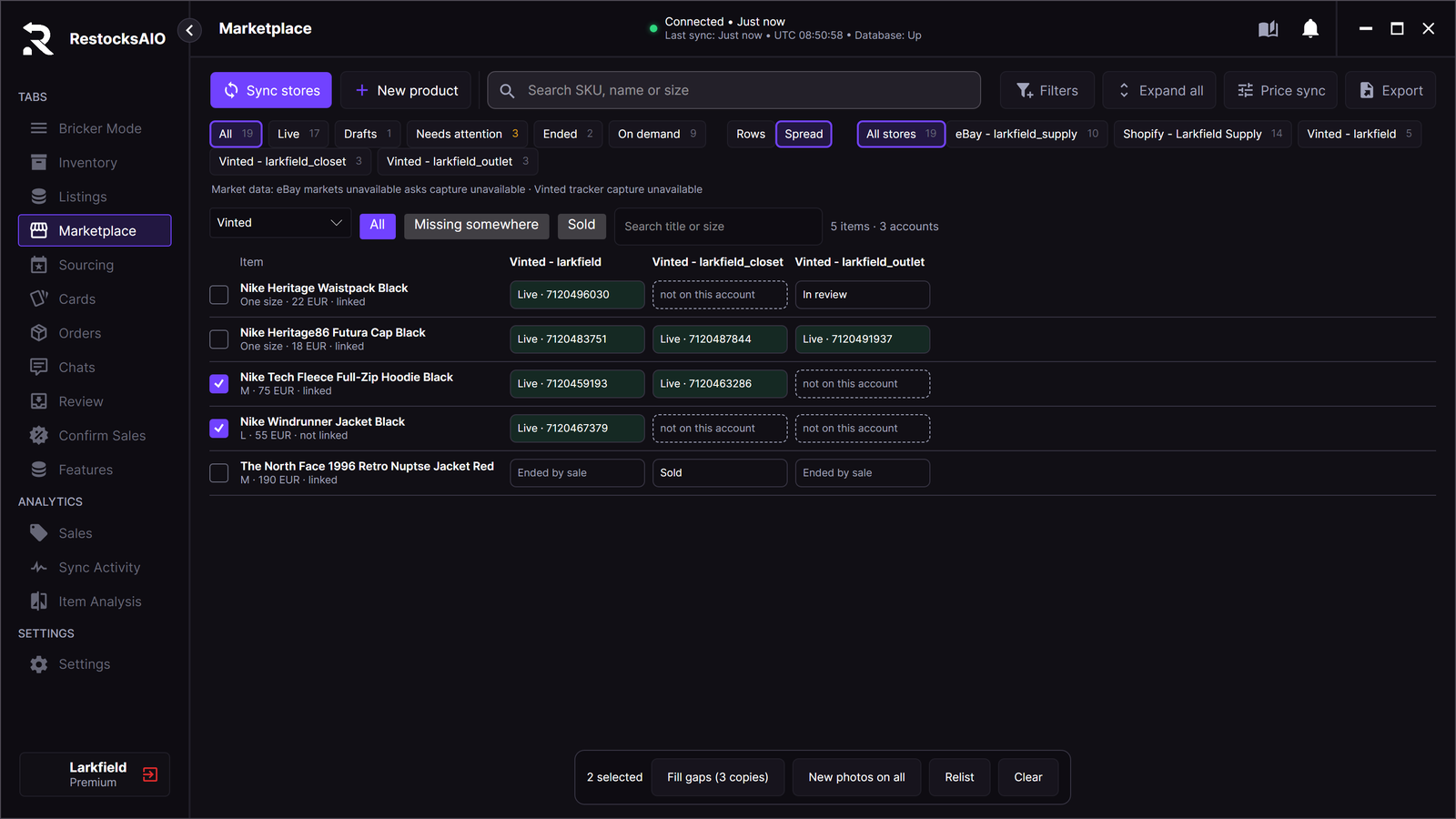
Two items ticked: three accounts are missing them.
| Action | What it does |
|---|---|
| Fill gaps (N copies) | Opens Copy to accounts with the missing accounts ticked. You check the photos, the prices and the start times, then click Start. |
| New photos on all | For each live Vinted or Wallapop listing: makes a new photo set from the Account look of its account. Then Edit listing opens with the new photos. You review them and click Apply. The listings stay live: there is no relist. |
| Relist | Relists the live listings. See Relist from a saved copy. |
| Clear | Removes the ticks. |
New photos on all leaves out a listing that has no copy with photos on your computer yet. A message names each listing that it left out.
Messages
| Message | What to do |
|---|---|
| Connect a Vinted, Wallapop, eBay or Shopify account in Accounts first. | Connect an account in Settings → Accounts. |
| No listing of this site yet. Sync stores first. | Click Sync stores, then open the Spread view again. |
| No item matches the filter. | Choose another filter or clear the search. |