 RestocksAIO Docs
Linked Copies
Copies of one listing on several Vinted, Wallapop, eBay or Shopify accounts hold the same item. When one copy sells, RestocksAIO ends the other copies.
When you copy a listing to other accounts, all copies hold the same item. They are linked copies. When one copy sells, RestocksAIO ends the other copies. You do not sell one item two times.
Linked copies come from Copy to accounts, from Fill gaps in the Spread view, and from Copy to account and Move to account.
How the link works
- Each copy holds the same Inventory item as the original listing.
- When the listing has no Inventory item, RestocksAIO makes one item before the first copy. The other copies use the same item.
- You need no Inventory item before you copy. A seller who never used Inventory can copy listings, and the app keeps the link for them.
The Copy to accounts window tells you before you start, for example: "Linked: the app makes one store item for this listing. A sale on any of the 3 accounts ends the other 2 listings."
What happens at a sale
- A copy sells on one account.
- RestocksAIO reads the sale at its next store read.
- RestocksAIO ends the other copies of the item on the other accounts.
The Spread view then shows Sold for the account that sold and Ended by sale for the other accounts.
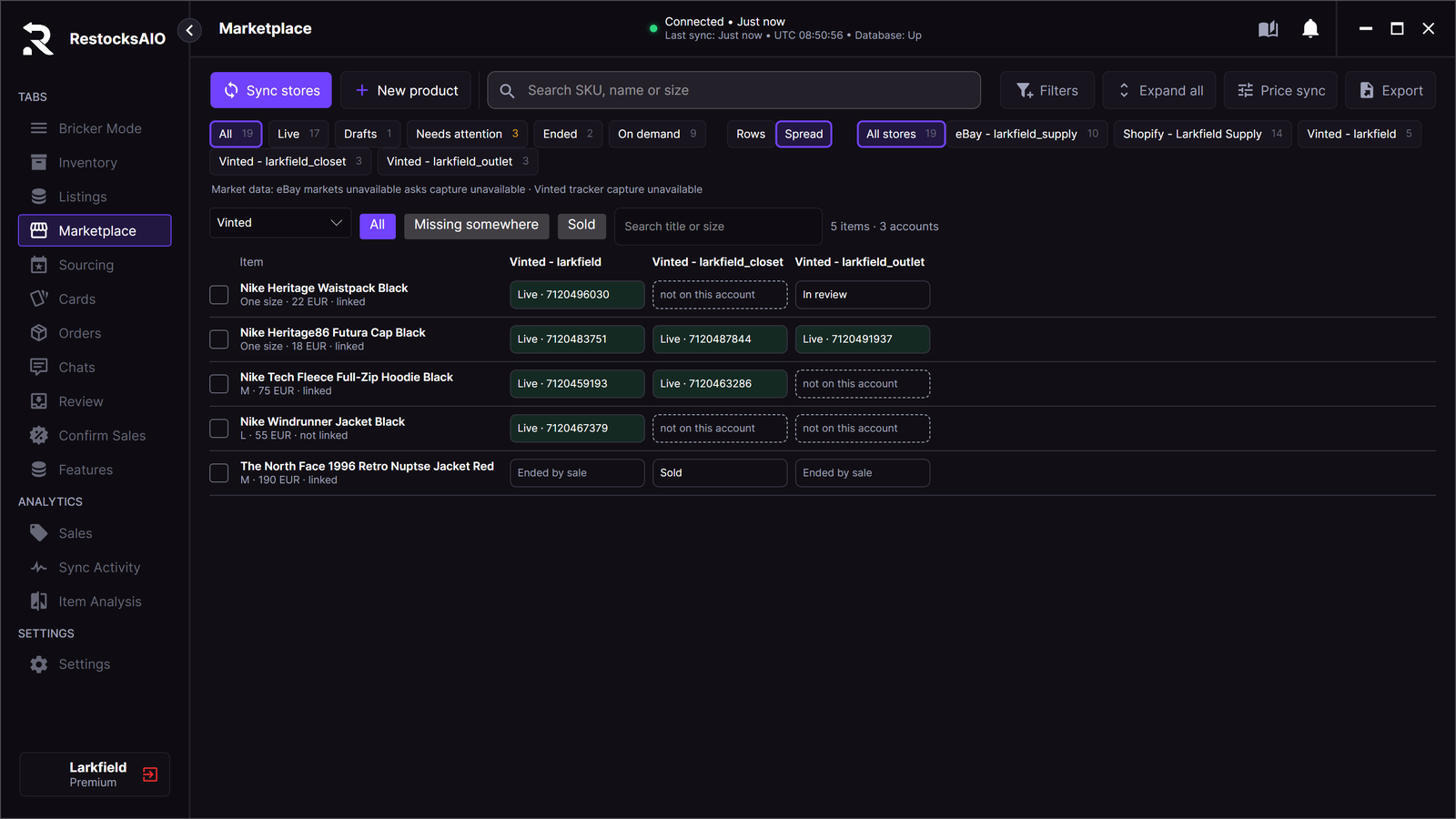
The last row: one sale ended the two other copies. Sample data.
Between the sale and the next store read, the other copies are still live. A buyer can order the item on another account in this time. Answer that buyer, or cancel the order on the site.
Check the link
In the Spread view, the line under the item name shows linked or not linked.
A listing that shows not linked holds no Inventory item. A sale of it ends no other listing. Copy it with Copy to accounts to link it, or link it by hand. See Linking.