 RestocksAIO Docs
Settings
Open Settings to connect accounts, set site options, send Discord or Telegram alerts, and store Bricker Mode, proxy and webhook rules. Each group has a page.
Updated
Settings is where each marketplace account, alert and fee rule is stored. Start with Accounts and connect the sites you sell on. Then open Site Options for the switches on that site.
If you want a Discord or Telegram alert when a sale comes in, read Discord Notifications or Telegram Bot. If you want Bricker Mode delays and store-order rules, read Bricker Mode settings. If you send sales to your own server, read Webhook API. Webhook API is in the Premium plan.
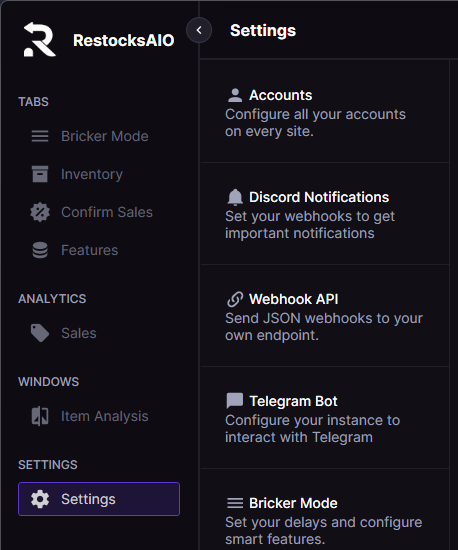
The Settings hub groups Accounts, Discord, Telegram, Webhook, Bricker Mode, Proxy, Preload Fees, and Other settings in a single sidebar.
Accounts
Manage your connected selling accounts.
Site Options
This guide covers all the customizable options available for each supported site.
Discord Sale and Offer Notifications
Send sale alerts with label downloads and offer alerts above your minimum offer to your Discord channels through webhooks.
Telegram Bot
Configure your Telegram bot for notifications and commands.
Bricker Mode
Adjust your pricing automation.
Proxy
Set up proxy connections.
Preload Fees
Reduce bans and speed up operations with internal fee calculations instead of website queries.
Webhook API
Configure outbound webhook notifications to your own endpoint (Premium).
Other Settings
Access additional configuration options.