 RestocksAIO Docs
Inventory
Track and manage your entire product stock and active listings in one place.
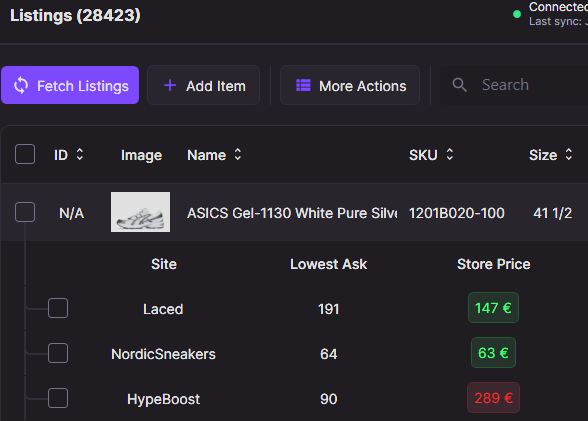
The Inventory tab shows your listings grouped by SKU, with per-site prices, categories, and quick actions.
For an overview of unified stock and listing management, see the Inventory & Listings feature page on restock.gg.
How does the Inventory work?
Track stock, listings, and profits in one unified system.
Adding Items
Learn how to add products to your inventory or list them for sale.
CSV Import
Bulk-upload items via spreadsheet for quick inventory updates.
Barcode Scanning
Scan the box barcodes of your inventory with a laser scanner or your phone, and look up each product by its barcode.
Mobile Barcode Scanner (Scan to Desktop)
Scan shoebox barcodes from your phone, review a persistent queue, and add confirmed items to RestocksAIO desktop.
Photo Storage
Store the photos of your items in RestocksAIO, link them to a unit, a product or a group, label them, and use them in your eBay, Shopify, Vinted and Wallapop listings.
Sell Returned Pairs
Bring returned, rejected, used or damaged-box pairs back into Inventory with their real condition, box and defects, then sell them on Vinted, Wallapop or eBay.
Share Inventory Links
Make a public stock list of a part of your inventory. Buyers choose sizes and message you on Telegram or Discord.